


Failed Hard Drive - Help! *UPDATED*


Testing the future
Joined: Jul 2003
Posts: 17,597
Likes: 24
From: W. Sussex

online storage for 500GB is looking prohibitively expensive. a quick search shows that 200Gb would be over £700 per year  with these for example http://www.icebackup.net/pricing/backup-for-home.php
bt vault is £5 / month for just 50GB.
usb hdd stored elsewhere seems the best option
with these for example http://www.icebackup.net/pricing/backup-for-home.phpbt vault is £5 / month for just 50GB.
usb hdd stored elsewhere seems the best option

Don't ask - I don't know
iTrader: (2)
Joined: Apr 2004
Posts: 19,033
Likes: 40
From: Avoiding idiots - or trying to....
I have a 1TB external HD connected to my iMac - have had for some time. Mac's are alot more stable but I work on the premise that 'Proper Preparation Prevents Piss Poor Performance'....

PassionFord Post Whore!!


Joined: May 2003
Posts: 9,609
Likes: 45
From: Bristol
I have a 1TB drive in the main PC. It has everything on it - photos/videos/music/her business and mine.
Every so often (probably not often enough...) I back it up to a USB drive. This then gets stored at someone else's house. When I take it there I bring back another 1TB USB drive that is the last backup I did.
So, in all, stuff is stored in 3 different places (in two houses), with a few weeks between them all. Hopefully this will limit damage if we get a virus too.
It just relies on me actually moving it all around, and takes fooking ages
Every so often (probably not often enough...) I back it up to a USB drive. This then gets stored at someone else's house. When I take it there I bring back another 1TB USB drive that is the last backup I did.
So, in all, stuff is stored in 3 different places (in two houses), with a few weeks between them all. Hopefully this will limit damage if we get a virus too.
It just relies on me actually moving it all around, and takes fooking ages

10K+ Poster!!
Joined: May 2003
Posts: 10,089
Likes: 2
From: Handcuffed to the Mrs' Bed ;-)
Really gutted for you m8, I know what you had saved means a lot to you. If there is a scratch on it i'd 99% say it's fucked and take it on the chin. Freezer trick was the last resort for it on a recovery side of things  ( as it's usually a heat related thing.
( as it's usually a heat related thing.

I've found that life I needed.. It's HERE!!

Joined: Mar 2006
Posts: 1,100
Likes: 0
From: Norfolk, UK
I have WHS server running in the garage, which does a full backup every night - everything including the operating system. Takes about an hour over my network.
So if my HDD failed, I just swap the HDD, insert the restore disc, pick the date that I want restoring to and leave it to restore.
Once done, power it on and everything are there including software. No reinstalling needed.
You can even "browse" the folders of each backups made, so you can restore one or 100 files.
It's a lifesaver for me...
So if my HDD failed, I just swap the HDD, insert the restore disc, pick the date that I want restoring to and leave it to restore.
Once done, power it on and everything are there including software. No reinstalling needed.
You can even "browse" the folders of each backups made, so you can restore one or 100 files.
It's a lifesaver for me...



15K+ Super Poster!!
Joined: Apr 2004
Posts: 16,505
Likes: 1
From: Croydon
Gutted  So not retrievable at all.
I have a USB drive permanently attached to my iMac, it updates pretty much every change that goes on in my Mac. I can even wind it back to an exactly specific date and time.
I know its doing it a lot the light on it blinks regularly.
When my HDD went on the Mac I took it in to be fixed and they said to me that recovering the data on a £160GB drive would be at least £300+the new drive+labour. Total bill would have been £500. When I pulled out the USB drive they look at that smiled at me and said, "Thank god, someone who actually backs up their info." We will fit the new drive an restore it from the drive and it will cost £200.
It saved me £300 and I tell you what I am never not doing it again.
Gutted for you mate, really am, I've lost all my info including 4 years of photos and its heart breaking.
So not retrievable at all.I have a USB drive permanently attached to my iMac, it updates pretty much every change that goes on in my Mac. I can even wind it back to an exactly specific date and time.
I know its doing it a lot the light on it blinks regularly.
When my HDD went on the Mac I took it in to be fixed and they said to me that recovering the data on a £160GB drive would be at least £300+the new drive+labour. Total bill would have been £500. When I pulled out the USB drive they look at that smiled at me and said, "Thank god, someone who actually backs up their info." We will fit the new drive an restore it from the drive and it will cost £200.
It saved me £300 and I tell you what I am never not doing it again.
Gutted for you mate, really am, I've lost all my info including 4 years of photos and its heart breaking.

I've found that life I needed.. It's HERE!!
Joined: May 2003
Posts: 1,260
Likes: 0
From: Essex, UK
I have WHS server running in the garage, which does a full backup every night - everything including the operating system. Takes about an hour over my network.
So if my HDD failed, I just swap the HDD, insert the restore disc, pick the date that I want restoring to and leave it to restore.
Once done, power it on and everything are there including software. No reinstalling needed.
You can even "browse" the folders of each backups made, so you can restore one or 100 files.
It's a lifesaver for me...
So if my HDD failed, I just swap the HDD, insert the restore disc, pick the date that I want restoring to and leave it to restore.
Once done, power it on and everything are there including software. No reinstalling needed.
You can even "browse" the folders of each backups made, so you can restore one or 100 files.
It's a lifesaver for me...

Can run on a cheap basic PC and just fill with HDD's
My server runs 24/7 and has saved 2 PC's after HDD fails now and also handle some redundency with its own data on the drives.

Thread Starter
Joined: May 2003
Posts: 23,329
Likes: 6
From: Norfolk
I was going to update this with my progress, but as it's been moved into a section that gets very few visitors, I really can't be arsed to take the time typing it.
Shame really, as I found a solution. Not an easy one however.....
Shame really, as I found a solution. Not an easy one however.....


Testing the future
Joined: Jul 2003
Posts: 17,597
Likes: 24
From: W. Sussex

there are probably still lots of subscribers that are interested...

PassionFord Post Whore!!
Joined: Apr 2006
Posts: 7,297
Likes: 2
From: Wirral


moved to the correct forum .... wether it gets as many visitors as gd or not im sure the nice passionford users would be very gratefull for your input.....


BANNED
Joined: Dec 2004
Posts: 1,962
Likes: 0
the topic stills shows up just as much when you scan through the new posts like i do or if people have subscibed to it.
Would be good if you found a way round it as i have a HDD sat around which is exactly the same- not as much data but just as annoying!
mine has lots of my first born on it(pics and videos), got a big patch of 6months of her life missing and if you don't update your thread i may never get them back
Would be good if you found a way round it as i have a HDD sat around which is exactly the same- not as much data but just as annoying!
mine has lots of my first born on it(pics and videos), got a big patch of 6months of her life missing and if you don't update your thread i may never get them back

PassionFord Post Whore!!
Joined: May 2003
Posts: 7,757
Likes: 0
From: Norwich, Norfolk, UK
Agreed. And you will get visitors to this room that dont generally frequent General Discussion that may give you a more focused reply to your issue.

PassionFord Regular
Joined: Jul 2003
Posts: 496
Likes: 0
From: Norwich
is use the free version of syncback http://www.2brightsparks.com/ to backup everything to an external HD.
Also I use Picasa 3 to view my photos, it has the feature to backup your photos to CD or DVd and remembers what has been backed up.
I TRY to backup my pics when I add them but its not always up to date.
Online storage is a good idea but can be expensive, Picasa 3 offers a small amount of FREE on line stoarge, that can be upgraded if needed.
Gav
Also I use Picasa 3 to view my photos, it has the feature to backup your photos to CD or DVd and remembers what has been backed up.
I TRY to backup my pics when I add them but its not always up to date.
Online storage is a good idea but can be expensive, Picasa 3 offers a small amount of FREE on line stoarge, that can be upgraded if needed.
Gav
Thread Starter
Joined: May 2003
Posts: 23,329
Likes: 6
From: Norfolk
My reaction above is as a result of the recent changes in this forum. I'm not going to get involved in the politics here because I know it's the wrong place, but, historically I invest alot of time into many of my replies and some of the opinions on here recently have surprised me too.
You'll notice I haven't been around much lately, that is partly because of the new job, but mainly because I just don't agree with much of what was discussed over the last few weeks. I have lost alot of interest in helping people out, as it transpired that this place is full of back-stabbers.
Anyway, moving on from this. I have tried so many bits of so-called data recovery software, I can't even remember what sort of success I have with each. However, what I do know is that I had very little in the way of usable files as a result. Fortunately for me, the drive could be seen by the OS. Not all the time, but if I persisted to turn it off and on repeatedly, sometimes over a period of half an hour, the PC would 'see' the drive and it's partitions, although reporting that they had 100% space free (so seemingly empty). I had already established that this drive has a problem with the MFT (Master File Table), which is a fairly common problem. The files still mainly exist on a drive with this problem, it's just that the drive effectively doesn't know it's arse from it's elbow.
After ALOT of reading, I found references to a piece of software called 'TestDisk', by a company called CG Security. Information can be found here.....
http://www.cgsecurity.org/wiki/TestDisk
It is a non-fancy piece of DOS software. It is completely without any form of guarantee or protection, but alot of people in the know use it. In actual fact, the software I used was 'PhotoRec', which is within the same download.
I had already dismounted the drive from the PC and, in previous attempts had cooled the drive in the freezer for 3 hours, before keeping it cool in a tub of ice-packs. However, in the end, I found that leaving the side cover off the PC and removing the case-fan and using this to point directly at the hard-drive from a range of about 50mm was more than adequate to keep the drive cool enough to run for a long period of time.
I then began the scan with PhotoRec. Fairly soon it began to recover files into a file that I pointed to. It was reporting a resolution time of over 1000 hours, well over a month. I gather very extended scan times aren't uncommon, although I hadn't seen any references anywhere to this amount of time. 2 weeks, yes, but a month!! Anyway, I disconnected the LAN cable and disabled everything that didn't need to be running, so the PC was running as efficiently as it could and left it. I have a shitty laptop that I could use for other stuff, so I was prepared to lose the PC for as long as it took. So there I left it, running 24/7, pulling files off at a moderate rate. The software tells you what file types it has found.
I noticed that it was pulling TXT files off at a hell of a rate. Closely followed by a high rate of MP3 files, but sadly relatively few JPG files, which is what I am more interested in.
After 3 days of scanning and a total of about 3300 files in total found so far, there were only 278 JPG's, very disappointing, but better than fuck all. Then, suddenly, whilst sitting at the desk watching the count, I heard some unappealing noises from the drive. Then the resolution time dropped like a stone, completing the remaining 1000 hours of the scan in about 20 minutes and finding no further files.
Now the PC won't see it. So, by my reckoning, the read head is now fucked and the only option is to rebuild the drive, which is another solution I've looked at quite a bit and may well opt to do.
Upon inspecting the data recovered, the TXT files are useless. They are just that. Text files of nothing significant. The MP3's are mostly all corrupt. Typically, the JPG's are mostly of stuff I could have done without and all other formats are mostly corrupt too. So, in all, I would say that I have about 1% of what was on that drive and am left now with the choice of either abandon it now, or pay the price for rebuild, which will probably recover more files, how many we don't know, but in essence involves buying another drive of EXACTLY the same model/spec/firmware and the internals being built as a combination of the two drives, but this has to be done under laboratory conditions, hence it costing upwards of £500 as far as I can tell. That is as far as I have got.
Next move is that I am looking out for a drive on Ebay of the same model, but at a far more relaxed pace. The data isn't time sensitive, I just can't give in to having lost it, so will keep looking for a solution. In the meantime, if anyone knows someone that can cost-effectively rebuild my drive platters into a donor unit, I'm all ears.

P.S. I'm still saying that the above software is about the best chance, short of paying a pro.
You'll notice I haven't been around much lately, that is partly because of the new job, but mainly because I just don't agree with much of what was discussed over the last few weeks. I have lost alot of interest in helping people out, as it transpired that this place is full of back-stabbers.
Anyway, moving on from this. I have tried so many bits of so-called data recovery software, I can't even remember what sort of success I have with each. However, what I do know is that I had very little in the way of usable files as a result. Fortunately for me, the drive could be seen by the OS. Not all the time, but if I persisted to turn it off and on repeatedly, sometimes over a period of half an hour, the PC would 'see' the drive and it's partitions, although reporting that they had 100% space free (so seemingly empty). I had already established that this drive has a problem with the MFT (Master File Table), which is a fairly common problem. The files still mainly exist on a drive with this problem, it's just that the drive effectively doesn't know it's arse from it's elbow.
After ALOT of reading, I found references to a piece of software called 'TestDisk', by a company called CG Security. Information can be found here.....
http://www.cgsecurity.org/wiki/TestDisk
It is a non-fancy piece of DOS software. It is completely without any form of guarantee or protection, but alot of people in the know use it. In actual fact, the software I used was 'PhotoRec', which is within the same download.
I had already dismounted the drive from the PC and, in previous attempts had cooled the drive in the freezer for 3 hours, before keeping it cool in a tub of ice-packs. However, in the end, I found that leaving the side cover off the PC and removing the case-fan and using this to point directly at the hard-drive from a range of about 50mm was more than adequate to keep the drive cool enough to run for a long period of time.
I then began the scan with PhotoRec. Fairly soon it began to recover files into a file that I pointed to. It was reporting a resolution time of over 1000 hours, well over a month.
I gather very extended scan times aren't uncommon, although I hadn't seen any references anywhere to this amount of time. 2 weeks, yes, but a month!! Anyway, I disconnected the LAN cable and disabled everything that didn't need to be running, so the PC was running as efficiently as it could and left it. I have a shitty laptop that I could use for other stuff, so I was prepared to lose the PC for as long as it took. So there I left it, running 24/7, pulling files off at a moderate rate. The software tells you what file types it has found.I noticed that it was pulling TXT files off at a hell of a rate. Closely followed by a high rate of MP3 files, but sadly relatively few JPG files, which is what I am more interested in.
After 3 days of scanning and a total of about 3300 files in total found so far, there were only 278 JPG's, very disappointing, but better than fuck all. Then, suddenly, whilst sitting at the desk watching the count, I heard some unappealing noises from the drive. Then the resolution time dropped like a stone, completing the remaining 1000 hours of the scan in about 20 minutes and finding no further files.
Now the PC won't see it. So, by my reckoning, the read head is now fucked and the only option is to rebuild the drive, which is another solution I've looked at quite a bit and may well opt to do.
Upon inspecting the data recovered, the TXT files are useless. They are just that. Text files of nothing significant. The MP3's are mostly all corrupt. Typically, the JPG's are mostly of stuff I could have done without and all other formats are mostly corrupt too. So, in all, I would say that I have about 1% of what was on that drive and am left now with the choice of either abandon it now, or pay the price for rebuild, which will probably recover more files, how many we don't know, but in essence involves buying another drive of EXACTLY the same model/spec/firmware and the internals being built as a combination of the two drives, but this has to be done under laboratory conditions, hence it costing upwards of £500 as far as I can tell. That is as far as I have got.
Next move is that I am looking out for a drive on Ebay of the same model, but at a far more relaxed pace. The data isn't time sensitive, I just can't give in to having lost it, so will keep looking for a solution. In the meantime, if anyone knows someone that can cost-effectively rebuild my drive platters into a donor unit, I'm all ears.
P.S. I'm still saying that the above software is about the best chance, short of paying a pro.
Last edited by Christian and Beccy; Jan 12, 2011 at 08:20 PM.
the drives need to be taken apart in clinically clean rooms with a total absense of dirt of any sort at all and when they take it apart they then put the discs into another hard drive to read them
at least that's the basics of what i was told when i had the 30 minute explanation as to why it was going to cost £1200 to get the data back
on the plus side they said that if the data wasn't recoverable then there would be charge, but i've sent you that pm
at least that's the basics of what i was told when i had the 30 minute explanation as to why it was going to cost £1200 to get the data back
on the plus side they said that if the data wasn't recoverable then there would be charge, but i've sent you that pm
PassionFord Regular
Joined: Jul 2003
Posts: 496
Likes: 0
From: Norwich
My reaction above is as a result of the recent changes in this forum. I'm not going to get involved in the politics here because I know it's the wrong place, but, historically I invest alot of time into many of my replies and some of the opinions on here recently have surprised me too.
You'll notice I haven't been around much lately, that is partly because of the new job, but mainly because I just don't agree with much of what was discussed over the last few weeks. I have lost alot of interest in helping people out, as it transpired that this place is full of back-stabbers.
Anyway, moving on from this. I have tried so many bits of so-called data recovery software, I can't even remember what sort of success I have with each. However, what I do know is that I had very little in the way of usable files as a result. Fortunately for me, the drive could be seen by the OS. Not all the time, but if I persisted to turn it off and on repeatedly, sometimes over a period of half an hour, the PC would 'see' the drive and it's partitions, although reporting that they had 100% space free (so seemingly empty). I had already established that this drive has a problem with the MFT (Master File Table), which is a fairly common problem. The files still mainly exist on a drive with this problem, it's just that the drive effectively doesn't know it's arse from it's elbow.
After ALOT of reading, I found references to a piece of software called 'TestDisk', by a company called CG Security. Information can be found here.....
http://www.cgsecurity.org/wiki/TestDisk
It is a non-fancy piece of DOS software. It is completely without any form of guarantee or protection, but alot of people in the know use it. In actual fact, the software I used was 'PhotoRec', which is within the same download.
I had already dismounted the drive from the PC and, in previous attempts had cooled the drive in the freezer for 3 hours, before keeping it cool in a tub of ice-packs. However, in the end, I found that leaving the side cover off the PC and removing the case-fan and using this to point directly at the hard-drive from a range of about 50mm was more than adequate to keep the drive cool enough to run for a long period of time.
I then began the scan with PhotoRec. Fairly soon it began to recover files into a file that I pointed to. It was reporting a resolution time of over 1000 hours, well over a month. I gather very extended scan times aren't uncommon, although I hadn't seen any references anywhere to this amount of time. 2 weeks, yes, but a month!! Anyway, I disconnected the LAN cable and disabled everything that didn't need to be running, so the PC was running as efficiently as it could and left it. I have a shitty laptop that I could use for other stuff, so I was prepared to lose the PC for as long as it took. So there I left it, running 24/7, pulling files off at a moderate rate. The software tells you what file types it has found.
I noticed that it was pulling TXT files off at a hell of a rate. Closely followed by a high rate of MP3 files, but sadly relatively few JPG files, which is what I am more interested in.
After 3 days of scanning and a total of about 3300 files in total found so far, there were only 278 JPG's, very disappointing, but better than fuck all. Then, suddenly, whilst sitting at the desk watching the count, I heard some unappealing noises from the drive. Then the resolution time dropped like a stone, completing the remaining 1000 hours of the scan in about 20 minutes and finding no further files.
Now the PC won't see it. So, by my reckoning, the read head is now fucked and the only option is to rebuild the drive, which is another solution I've looked at quite a bit and may well opt to do.
Upon inspecting the data recovered, the TXT files are useless. They are just that. Text files of nothing significant. The MP3's are mostly all corrupt. Typically, the JPG's are mostly of stuff I could have done without and all other formats are mostly corrupt too. So, in all, I would say that I have about 1% of what was on that drive and am left now with the choice of either abandon it now, or pay the price for rebuild, which will probably recover more files, how many we don't know, but in essence involves buying another drive of EXACTLY the same model/spec/firmware and the internals being built as a combination of the two drives, but this has to be done under laboratory conditions, hence it costing upwards of £500 as far as I can tell. That is as far as I have got.
Next move is that I am looking out for a drive on Ebay of the same model, but at a far more relaxed pace. The data isn't time sensitive, I just can't give in to having lost it, so will keep looking for a solution. In the meantime, if anyone knows someone that can cost-effectively rebuild my drive platters into a donor unit, I'm all ears.
P.S. I'm still saying that the above software is about the best chance, short of paying a pro.
You'll notice I haven't been around much lately, that is partly because of the new job, but mainly because I just don't agree with much of what was discussed over the last few weeks. I have lost alot of interest in helping people out, as it transpired that this place is full of back-stabbers.
Anyway, moving on from this. I have tried so many bits of so-called data recovery software, I can't even remember what sort of success I have with each. However, what I do know is that I had very little in the way of usable files as a result. Fortunately for me, the drive could be seen by the OS. Not all the time, but if I persisted to turn it off and on repeatedly, sometimes over a period of half an hour, the PC would 'see' the drive and it's partitions, although reporting that they had 100% space free (so seemingly empty). I had already established that this drive has a problem with the MFT (Master File Table), which is a fairly common problem. The files still mainly exist on a drive with this problem, it's just that the drive effectively doesn't know it's arse from it's elbow.
After ALOT of reading, I found references to a piece of software called 'TestDisk', by a company called CG Security. Information can be found here.....
http://www.cgsecurity.org/wiki/TestDisk
It is a non-fancy piece of DOS software. It is completely without any form of guarantee or protection, but alot of people in the know use it. In actual fact, the software I used was 'PhotoRec', which is within the same download.
I had already dismounted the drive from the PC and, in previous attempts had cooled the drive in the freezer for 3 hours, before keeping it cool in a tub of ice-packs. However, in the end, I found that leaving the side cover off the PC and removing the case-fan and using this to point directly at the hard-drive from a range of about 50mm was more than adequate to keep the drive cool enough to run for a long period of time.
I then began the scan with PhotoRec. Fairly soon it began to recover files into a file that I pointed to. It was reporting a resolution time of over 1000 hours, well over a month.
I gather very extended scan times aren't uncommon, although I hadn't seen any references anywhere to this amount of time. 2 weeks, yes, but a month!! Anyway, I disconnected the LAN cable and disabled everything that didn't need to be running, so the PC was running as efficiently as it could and left it. I have a shitty laptop that I could use for other stuff, so I was prepared to lose the PC for as long as it took. So there I left it, running 24/7, pulling files off at a moderate rate. The software tells you what file types it has found.I noticed that it was pulling TXT files off at a hell of a rate. Closely followed by a high rate of MP3 files, but sadly relatively few JPG files, which is what I am more interested in.
After 3 days of scanning and a total of about 3300 files in total found so far, there were only 278 JPG's, very disappointing, but better than fuck all. Then, suddenly, whilst sitting at the desk watching the count, I heard some unappealing noises from the drive. Then the resolution time dropped like a stone, completing the remaining 1000 hours of the scan in about 20 minutes and finding no further files.
Now the PC won't see it. So, by my reckoning, the read head is now fucked and the only option is to rebuild the drive, which is another solution I've looked at quite a bit and may well opt to do.
Upon inspecting the data recovered, the TXT files are useless. They are just that. Text files of nothing significant. The MP3's are mostly all corrupt. Typically, the JPG's are mostly of stuff I could have done without and all other formats are mostly corrupt too. So, in all, I would say that I have about 1% of what was on that drive and am left now with the choice of either abandon it now, or pay the price for rebuild, which will probably recover more files, how many we don't know, but in essence involves buying another drive of EXACTLY the same model/spec/firmware and the internals being built as a combination of the two drives, but this has to be done under laboratory conditions, hence it costing upwards of £500 as far as I can tell. That is as far as I have got.
Next move is that I am looking out for a drive on Ebay of the same model, but at a far more relaxed pace. The data isn't time sensitive, I just can't give in to having lost it, so will keep looking for a solution. In the meantime, if anyone knows someone that can cost-effectively rebuild my drive platters into a donor unit, I'm all ears.
P.S. I'm still saying that the above software is about the best chance, short of paying a pro.
Hope you manage to get a few more files from it.
I am sure it does not really help, but I have these,
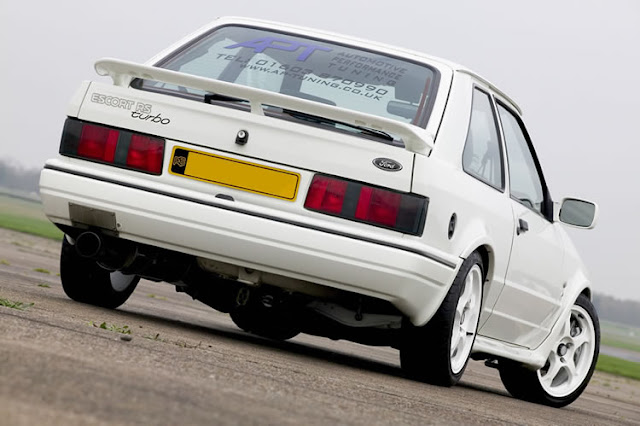
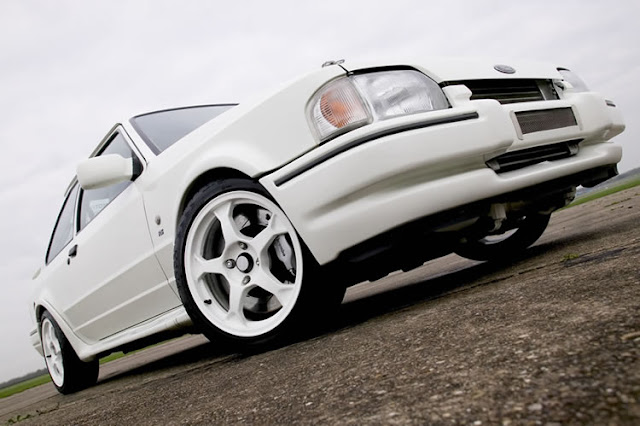
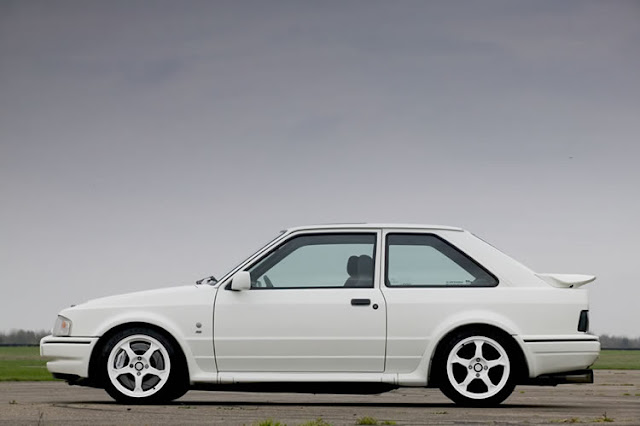

Gav
thanks for that info mate ... i know its hard trying to find software that does actually work at this ... had a drive fail myself and its not fun ..
might have to try that myself on it .. still got it just incase i could find summit that worked...
might have to try that myself on it .. still got it just incase i could find summit that worked...

Thread
Thread Starter
Forum
Replies
Last Post
TPM961
Restorations, Rebuilds & Projects.
19
Jan 15, 2018 10:50 AM