


PC HELLLLLLLLLLPPPPPPP


Thread Starter
Banned
Joined: Dec 2002
Posts: 142
Likes: 1
 PC HELLLLLLLLLLPPPPPPP
Got in and switched my main computer on and all it says is please put in a boot device 
Put a win XP pro disc in and it loads files but then it tries to start but i get this:-
Blue screen writing with this
*** STOP : 0X0000007E (0xc0000005,0xF853D0BF,0xF8989208,0xF8988F08)
*** pci.sys - Address F853D0BF base at F8536000, Datestamp 3b7d855c
HELP???
Put a win XP pro disc in and it loads files but then it tries to start but i get this:-
Blue screen writing with this
*** STOP : 0X0000007E (0xc0000005,0xF853D0BF,0xF8989208,0xF8988F08)
*** pci.sys - Address F853D0BF base at F8536000, Datestamp 3b7d855c
HELP???

PassionFord Post Troll
Joined: Aug 2004
Posts: 2,933
Likes: 0
From: Benfleet - Essex
I would wait for some more opinions really as I am not too clued up on all of this.... But it don't sound good
Worst comes to the worst try your hard disk as a slave in your other PC but like I said I would wait for other opinions first
Worst comes to the worst try your hard disk as a slave in your other PC but like I said I would wait for other opinions first
Trending Topics

Thread Starter
Banned
Joined: Dec 2002
Posts: 142
Likes: 1
Originally Posted by DaveEscos
maybe its finally been hit by the guilt of being a fashioned instrument that has been the main tool that has let a grade A cock infect the internet! 


 )
)

Wahay!! I've lost my Virginity!!
Joined: Aug 2006
Posts: 71
Likes: 0
From: Manchester
Reboot your computer with the xp disk, press r when asked to repair, and then choose your windows installation, you'll need to know the administrators password and then run this command from the command prompt chkdsk /r it usually fixes most BSOD errors.
Thread Starter
Banned
Joined: Dec 2002
Posts: 142
Likes: 1
cheers but i have now got no screen i changed the display setting in the bios  .....when i did before do as you said it still wouldnt load as it said enter the floppy disk..i aint got a floppy disk or a disk
HELP!
i changed the display setting in the bios .....when i did before do as you said it still wouldnt load as it said enter the floppy disk..i aint got a floppy disk or a disk HELP!

PassionFord Post Whore!!
Joined: Jul 2003
Posts: 7,482
Likes: 0
From: SUFFOLK
Phil, take out the power and reset the battery jumper on the mother board.
Hopefully that will bring your display back if you been messing with the bIOS.
The as above XP Disk. Press R then CHKDSK /R
Hopefully that will bring your display back if you been messing with the bIOS.
The as above XP Disk. Press R then CHKDSK /R

10K+ Poster!!
Joined: May 2003
Posts: 10,089
Likes: 2
From: Handcuffed to the Mrs' Bed ;-)
Gentlemen,
Before you can run a windows XP disc on a machine, you need to assatain the actual problem. In this case :
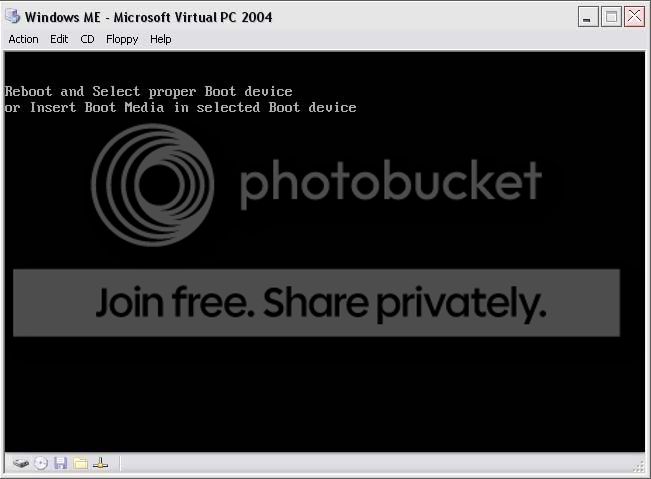
This, coupled with the error message above indicates at first a hard drive problem.
Phil,
When the computer first comes on it will look like this
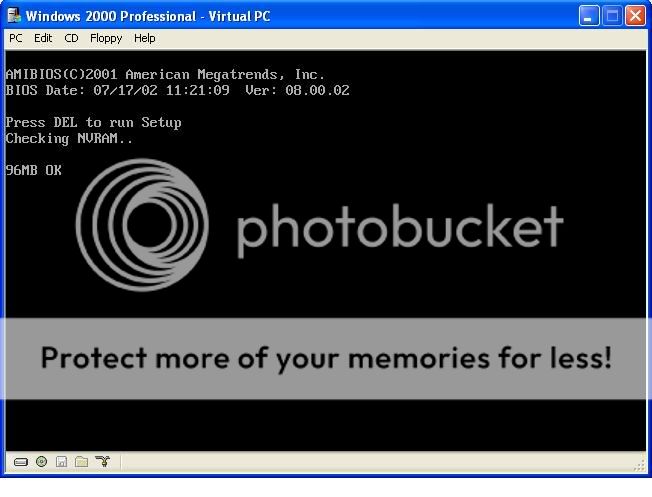
Press what ever key it say's to enter setup, usually DEL.
Once in there, (depending on layout and make of bios) there should be a standard cmos setup option ?
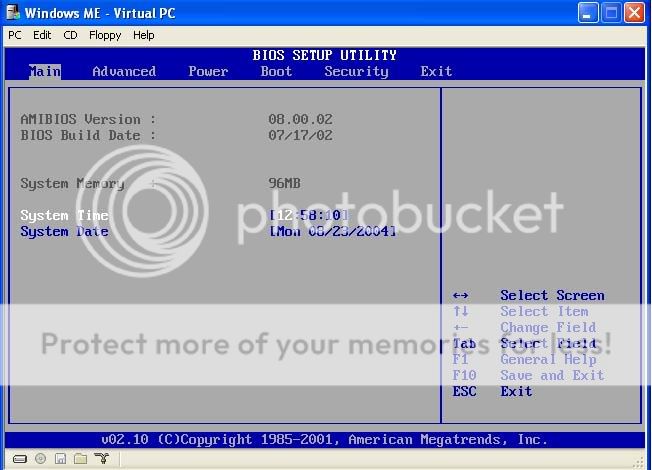
Now, this should give you the details of the hard drives / cd writers installed.
Basically, if you have 1 hard drive and 1 cd drive and only one thing is listed, then the hard drive is not being detected.
Now, press F10 to exit and save changes, switch the pc off, take the side of the case off and unplug the power cable from the hard drive, it's the yellow, black, and red cable that goes into the har drive (bad pic)
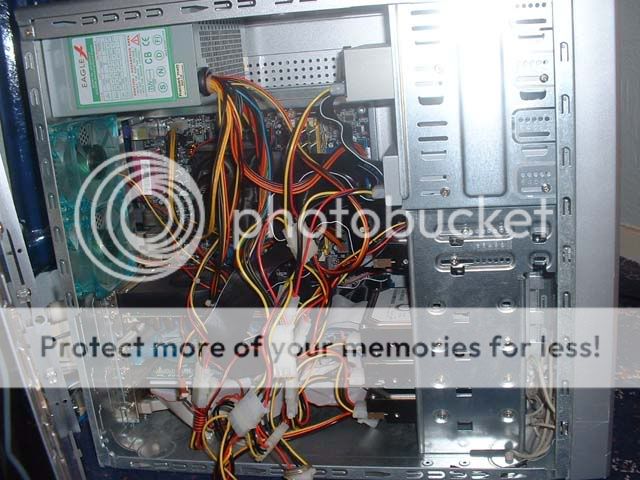
Now, plug it back in and switch it back on. If still no joy then It would be fair to say that your hard drive is fooked
Now, you could take it to a geek with computers to see if there's any way of getting the data off the drive
Before you can run a windows XP disc on a machine, you need to assatain the actual problem. In this case :
This, coupled with the error message above indicates at first a hard drive problem.
Phil,
When the computer first comes on it will look like this
Press what ever key it say's to enter setup, usually DEL.
Once in there, (depending on layout and make of bios) there should be a standard cmos setup option ?
Now, this should give you the details of the hard drives / cd writers installed.
Basically, if you have 1 hard drive and 1 cd drive and only one thing is listed, then the hard drive is not being detected.
Now, press F10 to exit and save changes, switch the pc off, take the side of the case off and unplug the power cable from the hard drive, it's the yellow, black, and red cable that goes into the har drive (bad pic)
Now, plug it back in and switch it back on. If still no joy then It would be fair to say that your hard drive is fooked
Now, you could take it to a geek with computers to see if there's any way of getting the data off the drive

Top Cab !!
Joined: Aug 2006
Posts: 3,989
Likes: 1
From: .
Re: PC HELLLLLLLLLLPPPPPPP
Originally Posted by Bosch-Man
Got in and switched my main computer on and all it says is please put in a boot device
Put a win XP pro disc in and it loads files but then it tries to start but i get this:-
Blue screen writing with this
*** STOP : 0X0000007E (0xc0000005,0xF853D0BF,0xF8989208,0xF8988F08)
*** pci.sys - Address F853D0BF base at F8536000, Datestamp 3b7d855c
HELP???
Put a win XP pro disc in and it loads files but then it tries to start but i get this:-
Blue screen writing with this
*** STOP : 0X0000007E (0xc0000005,0xF853D0BF,0xF8989208,0xF8988F08)
*** pci.sys - Address F853D0BF base at F8536000, Datestamp 3b7d855c
HELP???
http://support.microsoft.com/kb/839641
consider though that this information is coming from a company who make fixes to fix the fixes

Without more information about your system specifications I can only point you towards what Bill thinks is the problem
Top Cab !!
Joined: Aug 2006
Posts: 3,989
Likes: 1
From: .
Originally Posted by Bosch-Man
cheers but i have now got no screen i changed the display setting in the bios .....when i did before do as you said it still wouldnt load as it said enter the floppy disk..i aint got a floppy disk or a disk
HELP!
i changed the display setting in the bios .....when i did before do as you said it still wouldnt load as it said enter the floppy disk..i aint got a floppy disk or a disk HELP!

Top Cab !!
Joined: Aug 2006
Posts: 3,989
Likes: 1
From: .
I would remove ALL the devices the system does not need to run such as PCI network card, PCI sound card etc and then try to run the disk again.... you can always add these devices once windows is up and running


Professional Waffler
Joined: May 2004
Posts: 27,883
Likes: 7
From: west midlands
Originally Posted by FasterFords
Originally Posted by DanRSturbo
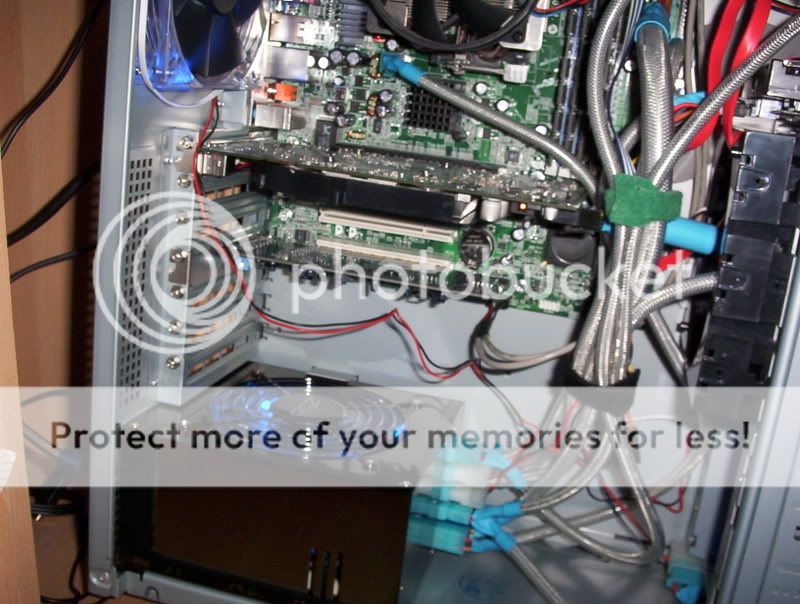
seriously that needs sorting mate What you want is a modular psu, something like mine
10K+ Poster!!
Joined: May 2003
Posts: 10,089
Likes: 2
From: Handcuffed to the Mrs' Bed ;-)
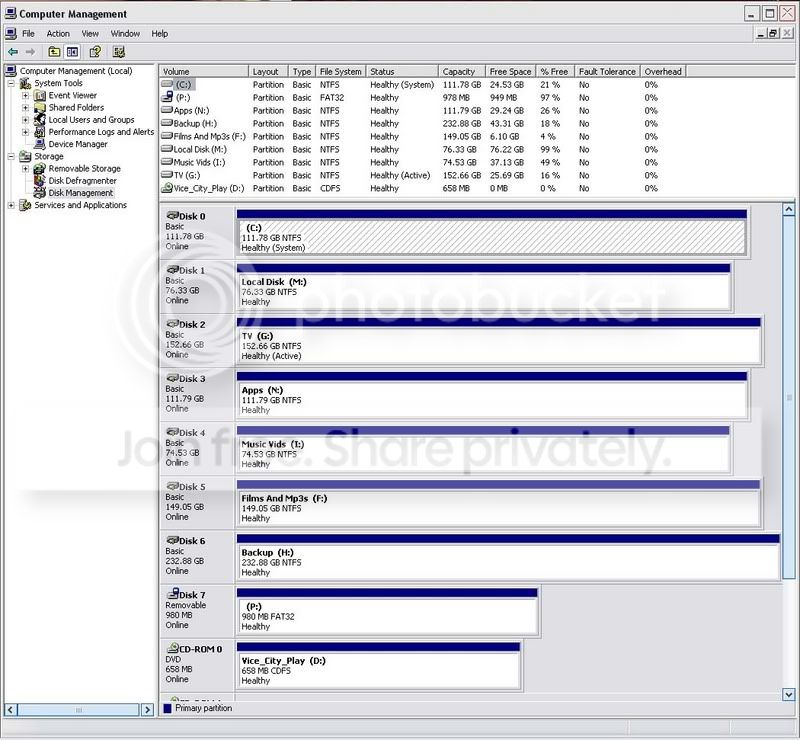
The system is fine chap's, and it has to be a little untidy with 7 hard drives in it, and 2 fan's on the back, fan on the graphics card, and an exhaust fan sitting below the graphics card
Pic to follow
Pic to follow
Professional Waffler
Joined: May 2004
Posts: 27,883
Likes: 7
From: west midlands
You CAN get it more tidy if you had a modular psu like the one i have, then you only use the wires you want, instead of having loads of unused wires clogging the case up.
I expect you dont really care if it works ok but im just saying there is a way to get it looking better even with all your hard drives
I expect you dont really care if it works ok but im just saying there is a way to get it looking better even with all your hard drives
10K+ Poster!!
Joined: May 2003
Posts: 10,089
Likes: 2
From: Handcuffed to the Mrs' Bed ;-)
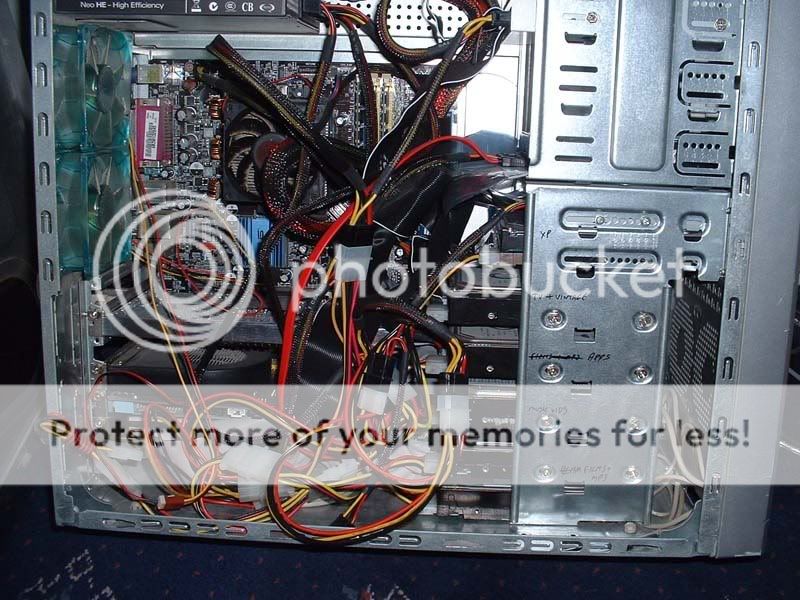
That is how it looks, now, bearing in mind there is, 7 hard drives, 1 dvd rom, 1 dvd rw, 2 fan's on the back, a graphics card that needs power, and the exhaust fan that's underneath the graphics card that requires power, short of cable tying everything together, there's no real way to tidy it up, bearing in mind I am often switching hard drives
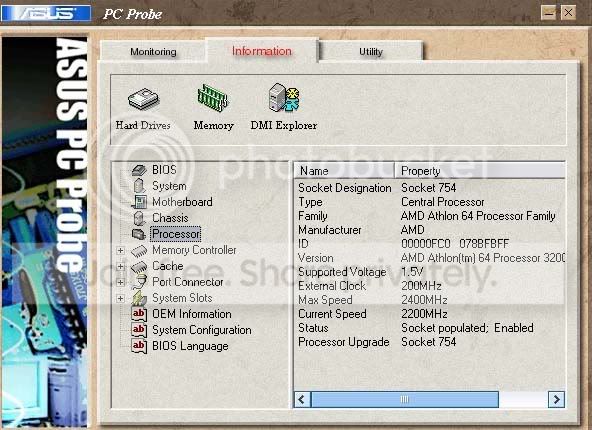
Current CPU temp is 47 degrees
Professional Waffler
Joined: May 2004
Posts: 27,883
Likes: 7
From: west midlands
That is rather warm 47, my AMD X2 4200 is about 33-34 after 2 hours of playing battlefield 2142 online.
But you should still be ok at that assuming you have AMD as they can run pretty warm.
EDIT, what would you do if someone nicked your tower with all your HDD's, your life is on there by the looks of it
But you should still be ok at that assuming you have AMD as they can run pretty warm.
EDIT, what would you do if someone nicked your tower with all your HDD's, your life is on there by the looks of it


PassionFord Post Whore!!
Joined: May 2004
Posts: 8,968
Likes: 2
From: Smogsville
Originally Posted by DaveEscos
maybe its finally been hit by the guilt of being a fashioned instrument that has been the main tool that has let a grade A cock infect the internet!

Regular Contributor
Joined: Jan 2007
Posts: 277
Likes: 0
Originally Posted by GTi_iTG
That is rather warm 47, my AMD X2 4200 is about 33-34 after 2 hours of playing battlefield 2142 online.
But you should still be ok at that assuming you have AMD as they can run pretty warm.
EDIT, what would you do if someone nicked your tower with all your HDD's, your life is on there by the looks of it
But you should still be ok at that assuming you have AMD as they can run pretty warm.
EDIT, what would you do if someone nicked your tower with all your HDD's, your life is on there by the looks of it
Regular Contributor
Joined: Jan 2007
Posts: 277
Likes: 0
Originally Posted by DanRSturbo
Of course I have AMD, don't you read any of my post's 
Edited for the added extra question
Even if you did nick the tower, there are security measures I've put in place
Edited for the added extra question
Even if you did nick the tower, there are security measures I've put in place
Professional Waffler
Joined: May 2004
Posts: 27,883
Likes: 7
From: west midlands
Originally Posted by THE_J_OF_OWNAGE
Originally Posted by GTi_iTG
That is rather warm 47, my AMD X2 4200 is about 33-34 after 2 hours of playing battlefield 2142 online.
But you should still be ok at that assuming you have AMD as they can run pretty warm.
EDIT, what would you do if someone nicked your tower with all your HDD's, your life is on there by the looks of it
But you should still be ok at that assuming you have AMD as they can run pretty warm.
EDIT, what would you do if someone nicked your tower with all your HDD's, your life is on there by the looks of it
