


Computer pros.....


Trending Topics

10K+ Poster!!
Joined: May 2003
Posts: 10,089
Likes: 2
From: Handcuffed to the Mrs' Bed ;-)

Where are you reading the figure from , when the pc starts up and does a moemory test ? Or in Windows ? Have you got the manual for the motherboard, it should specify the max amount of ram you can have in each memory slot, was the ram tested and working fine before you put it in your pc ? Does it read the same amount in each memory slot ? What is the manufacturer of the ram ? Or is it un-branded ?

Thread Starter
Boost Builder
Joined: May 2003
Posts: 3,272
Likes: 0
From: Blackpool
reading from system file in windows,no manual for board,all know is amd k6 500mhz processor.the stick is 512 unbranded not tried in different slots but bear with me,keep any other ideas coming guys 
10K+ Poster!!
Joined: May 2003
Posts: 10,089
Likes: 2
From: Handcuffed to the Mrs' Bed ;-)
Right, when your computer starts up, you should see this
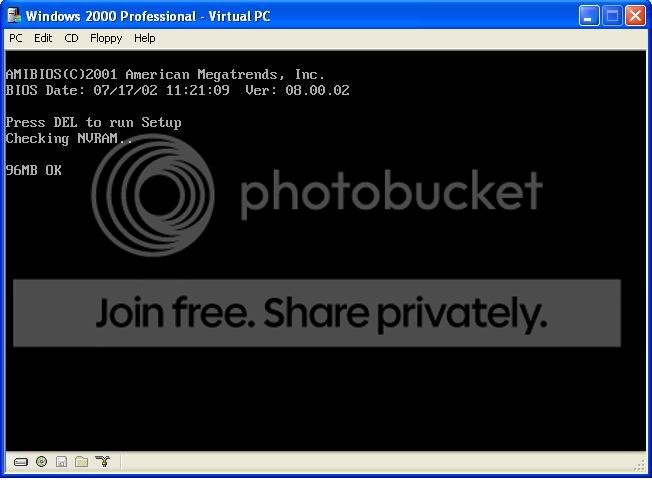
If it's too quick for you, you should be able to press the Pause / Break ke on the keyboard (usually above the Page Up key) and it should stop it and give you the memory count. If that say's 128 in each slot, I would guess 128 is the max each slot can handle. With the side of the case off, you should be able to see on the motherboard the model number / manufacturer.
If it's too quick for you, you should be able to press the Pause / Break ke on the keyboard (usually above the Page Up key) and it should stop it and give you the memory count. If that say's 128 in each slot, I would guess 128 is the max each slot can handle. With the side of the case off, you should be able to see on the motherboard the model number / manufacturer.


Thread Starter
Boost Builder
Joined: May 2003
Posts: 3,272
Likes: 0
From: Blackpool
all can see labelled in side case is eprom chip with award pci/pnp 586 thats it.made by time computers if remember correctly and has AMD-K6(tm)3D Processor,
Thanks for help all but losin patience now so mite give up unless anyone else thinks of out fast
Ranj,Dan,Eil,escortwrc

Thanks for help all but losin patience now so mite give up unless anyone else thinks of out fast
Ranj,Dan,Eil,escortwrc


Banned
Joined: Dec 2002
Posts: 142
Likes: 1
As above, sounds like the motherboard chipset can only recognise max 128Mb sticks....is it single or double sided RAM?
120Mb free suggests you have onboard graphics as well (set to 8Mb shared)
Might be a BIOS update for the board, failing that, new board time
120Mb free suggests you have onboard graphics as well (set to 8Mb shared)
Might be a BIOS update for the board, failing that, new board time

20K+ Super Poster.
Joined: May 2003
Posts: 20,599
Likes: 0
From: Ramsgate, Kent Drives: E39 530D Touring
K6? shit the bed thats old! 
take the memory back and buy 3x 128mb DIMMS instead
or alternatively throw the PC in the bin n get one made this millenium (literally)
take the memory back and buy 3x 128mb DIMMS instead
or alternatively throw the PC in the bin n get one made this millenium (literally)

Thread
Thread Starter
Forum
Replies
Last Post
nipper.1
Ford KUGA
12
May 30, 2022 07:39 PM