


Optical mouses


Thread Starter
PassionFord Post Whore!!
Joined: Aug 2005
Posts: 4,033
Likes: 0
From: Poole
 Optical mouses
What's the score with these fucking things then?
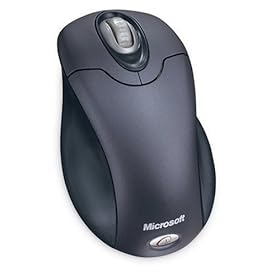
Last one I binned, got a normal cheap thing that double clicked all the time, not a decent microsoft optical thing.
What causes stuttering with these?
No ball etc to get covered in crap.
Is a sheer black or white sheet/surface best for these??
Last one I binned, got a normal cheap thing that double clicked all the time, not a decent microsoft optical thing.
What causes stuttering with these?
No ball etc to get covered in crap.
Is a sheer black or white sheet/surface best for these??

Professional Waffler
Joined: May 2004
Posts: 27,883
Likes: 7
From: west midlands
Been using a logitech mx1000 here for about a year now, its the best mouse ive ever had/ used, nice and smooth, sensitive so i dont have to physically move the mouse much for the cursor to move from one side of the screen to the other, its never missed a beat.
To top it off its rechargable aswell so it never needs batterys, just stick it on the dock for about 2hours every 3-6 days depending on how much you use it
http://images.google.co.uk/images?q=...=1&sa=N&tab=wi
To top it off its rechargable aswell so it never needs batterys, just stick it on the dock for about 2hours every 3-6 days depending on how much you use it
http://images.google.co.uk/images?q=...=1&sa=N&tab=wi



Professional Waffler
Joined: May 2004
Posts: 27,883
Likes: 7
From: west midlands

Trending Topics


its the quality of the optic. They have "movement dpi" ratings. the higher the better to reduce stuttering. (i never go lower than 1500 as i like accuracy for photoshop!)
wireless mice can also stutter more than wired mice due to transfer rates.
all relative to the amount of wedge you spend!
wireless mice can also stutter more than wired mice due to transfer rates.
all relative to the amount of wedge you spend!

Thread Starter
PassionFord Post Whore!!
Joined: Aug 2005
Posts: 4,033
Likes: 0
From: Poole

Team HOTHOT!
Joined: Aug 2003
Posts: 19,065
Likes: 1
From: Huddersfield Drives: Trains ;)



Professional Waffler
Joined: May 2004
Posts: 27,883
Likes: 7
From: west midlands
Dont have that problem with mine, i can move the cursor as little or as much as like, its extremely sensitive, and it works on my wood table top so no need for a huge mouse mat taking up all my table space
 The MX1000 really does do everything very well
Professional Waffler
Joined: May 2004
Posts: 27,883
Likes: 7
From: west midlands

H71 CNX
Joined: Nov 2008
Posts: 210
Likes: 0
From: Leicester
I own the MX1000 laser mouse (wireless and optical)
I find it stutters under a couple of instances...including low batteries andthe mouse being too far from the wireless reciever (mine stutters if the reciever is more than a meter away...)
Also, I have found that cloth mousemats or frosted glass mousemats have worked best.
I find it stutters under a couple of instances...including low batteries andthe mouse being too far from the wireless reciever (mine stutters if the reciever is more than a meter away...)
Also, I have found that cloth mousemats or frosted glass mousemats have worked best.
Last edited by Fezza; Jan 1, 2009 at 01:33 PM.
Professional Waffler
Joined: May 2004
Posts: 27,883
Likes: 7
From: west midlands
I own the MX1000 laser mouse (wireless and optical)
I find it stutters under a couple of instances...including low batteries andthe mouse being too far from the wireless reciever (mine stutters if the reciever is more than a meter away...)
Also, I have found that cloth mousemats or frosted glass mousemats have worked best.
I find it stutters under a couple of instances...including low batteries andthe mouse being too far from the wireless reciever (mine stutters if the reciever is more than a meter away...)
Also, I have found that cloth mousemats or frosted glass mousemats have worked best.
 and mine works fantastic on a shiney wood table top.



Joined: May 2003
Posts: 21,268
Likes: 147
From: The Dark Side of the Moon...
Still the best mouse I have used to date is the apple mighty mouse. Nicest movement and accuracy, nice "buttonless" buttons, the scroll wheel (well, more of a nipple really lol) is SOOOOOOOO much nicer than ANY pc scroll wheel mouse.... The only annoying thing is the new version as "buttons" (pressure sensitive area's, not really buttons) on the sides and if you haven't used one of those before, you spend all your time accidentally touching them with your thumb or 4th finger......
But still the nicest mouse ever. And it fits so snugly in your hand too.......
But still the nicest mouse ever. And it fits so snugly in your hand too.......
Joined: May 2003
Posts: 21,268
Likes: 147
From: The Dark Side of the Moon...
I have a wireless (RF) keyboard with track pad that I use downstairs for my media PC, and that works EVERYWHERE. On the sofa 10ft away, in the kitchen through walls, out in the garden - not a problem....


just finding my feet
Joined: May 2003
Posts: 41,052
Likes: 2
From: Im behind you
i got a wireless keyboard but has a stupid mouse pad built into it, it works in every room of my house though, i got 1 pc connected to 5 minitors in my house !!!, if i could find a wireless connection monitor im sure i could use it out in the car when working on it too !!!

BANNED
Joined: Oct 2003
Posts: 11,243
Likes: 0
From: .
Been using a logitech mx1000 here for about a year now, its the best mouse ive ever had/ used, nice and smooth, sensitive so i dont have to physically move the mouse much for the cursor to move from one side of the screen to the other, its never missed a beat.
To top it off its rechargable aswell so it never needs batterys, just stick it on the dock for about 2hours every 3-6 days depending on how much you use it
http://images.google.co.uk/images?q=...=1&sa=N&tab=wi
To top it off its rechargable aswell so it never needs batterys, just stick it on the dock for about 2hours every 3-6 days depending on how much you use it
http://images.google.co.uk/images?q=...=1&sa=N&tab=wi
I had one of them for about a month, it cost a ruddy fortune too. I didn't like it one bit and in the end I got that pissed off with it I threw it at the wall.

One thing I will say is although the case was damaged it still worked afterwards, so they're tough little things.


Thread
Thread Starter
Forum
Replies
Last Post
Gra
General Car Related Discussion.
33
Sep 3, 2005 06:32 PM
kevandalice
General Car Related Discussion.
1
Aug 1, 2004 09:21 PM
