


MSN messenger probs :(


Thread Starter
BANNED
Joined: Jun 2009
Posts: 162
Likes: 0
From: Derby
 MSN messenger probs :(
Updated the new "windows live messenger" few days back and still can't seem to get on msn, i can access my emails, but not the messenger 
I've put the correct email addy in and password, but still wont let me in
Any msn whizzes out there?.... plz help me
xXx
I've put the correct email addy in and password, but still wont let me in
Any msn whizzes out there?.... plz help me
xXx

Professional Waffler
Joined: May 2004
Posts: 27,883
Likes: 7
From: west midlands
Have you tried reinstalling it? or downloading the older version? http://www.filehippo.com/download_msn_messenger/ look on the right hand side, worth a try.
Professional Waffler
Joined: May 2004
Posts: 27,883
Likes: 7
From: west midlands
No problem, im not saying it will definatly work but its the easiest thing to try.
If that doesnt work put that error code into google and it will bring up some other suggestions to try, but beware it will all go over your head if your not clued up on pc's!, but you should be able to follow what it says and hopefully sort it if the above doesnt work.
If that doesnt work put that error code into google and it will bring up some other suggestions to try, but beware it will all go over your head if your not clued up on pc's!, but you should be able to follow what it says and hopefully sort it if the above doesnt work.
Trending Topics


MP for K.I.S.S
Joined: Apr 2005
Posts: 2,630
Likes: 0
From: Smogsville, Teesside
Live Messenger is a major pain in the arse. If you have AVG installed, the latest update breaks the camera functionality. If you don't agree to install some of the additional Live components, the MSN function doesn't work because the cab files don't get copied over!!!.
Installed Skype, better webcam, job done. Bloody MSN.
Installed Skype, better webcam, job done. Bloody MSN.


Thread Starter
BANNED
Joined: Jun 2009
Posts: 162
Likes: 0
From: Derby
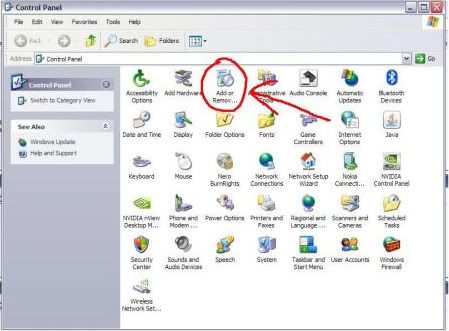
Yaaaaaaaaaaay!.....somehow found it, but thanks u two
I use to have one of those Dell pc's which had xp, i miss that loads but parents decided to scrap the pc....along with the printer, which i find myself needing more these days too
I got Vista on my laptoppy tho
I use to have one of those Dell pc's which had xp, i miss that loads but parents decided to scrap the pc....along with the printer, which i find myself needing more these days too
I got Vista on my laptoppy tho
Thread Starter
BANNED
Joined: Jun 2009
Posts: 162
Likes: 0
From: Derby
THATS IT!!!....i'm a woman on the edge now.....
Just uninstalled the lastest version, to install the old version again, only to be forced AGAIN to install the latest version! noooooooooooooooooooooooo nooooooooooooooooooooooooooooooooooooooooooooooooo oo
Just uninstalled the lastest version, to install the old version again, only to be forced AGAIN to install the latest version! noooooooooooooooooooooooo nooooooooooooooooooooooooooooooooooooooooooooooooo oo

burnzy
Joined: Jun 2008
Posts: 3,000
Likes: 56
From: Birmingham
go to http://www.oldapps.com/msn_messenger.php, it on there gembab just look for the one you want if you can remember what one was on your laptoppy last time 
Professional Waffler
Joined: May 2004
Posts: 27,883
Likes: 7
From: west midlands
Shouldnt force you, ive got a slightly older version of windows live messenger and it just says upon signing in "a newer version is available" or something like that, then it goes away.

PF's Guitar God!!!
Joined: May 2005
Posts: 4,028
Likes: 0
From: Southall, Middlesex
Ok when i had this problem it was mainly down to the 1 of the 2 things i'll mention. 1st was MSN didn't like how the Router was setup. So i had to login to the router and downgrade the firmware in order to MSN to work. 2nd was the router started a firewall that didn't allow any messenger software to work. So you'll have to do the same and downgrade the firmware for the Router. The new MSNs are shite. I suggest you use Digsby.
Thread Starter
BANNED
Joined: Jun 2009
Posts: 162
Likes: 0
From: Derby
Ok when i had this problem it was mainly down to the 1 of the 2 things i'll mention. 1st was MSN didn't like how the Router was setup. So i had to login to the router and downgrade the firmware in order to MSN to work. 2nd was the router started a firewall that didn't allow any messenger software to work. So you'll have to do the same and downgrade the firmware for the Router. The new MSNs are shite. I suggest you use Digsby.
Got no luck out of that site neither
looks like i'm dooooomed for life n may aswell use e-buddy.com. Noooooooooooooo

Thread
Thread Starter
Forum
Replies
Last Post
CabrioTurbo
General Car Related Discussion.
1
Aug 1, 2015 11:04 AM