


FAO the computer wizards amongst us....


Thread Starter
its a gas gas gas
Joined: Sep 2004
Posts: 7,543
Likes: 0
From: Burnage but now shitty uxbridge
 FAO the computer wizards amongst us....
i have misplaced my sound on my pc.... fuck knows how lol
i go into volum control and cant access nothing in there.
does anyone have an idea of what ive done or how i can retreive it????
im missing my itunes
cheers
verve
i go into volum control and cant access nothing in there.
does anyone have an idea of what ive done or how i can retreive it????
im missing my itunes
cheers
verve


Professional Waffler
Joined: May 2004
Posts: 27,883
Likes: 7
From: west midlands
oh for christ sake your one of those are you 
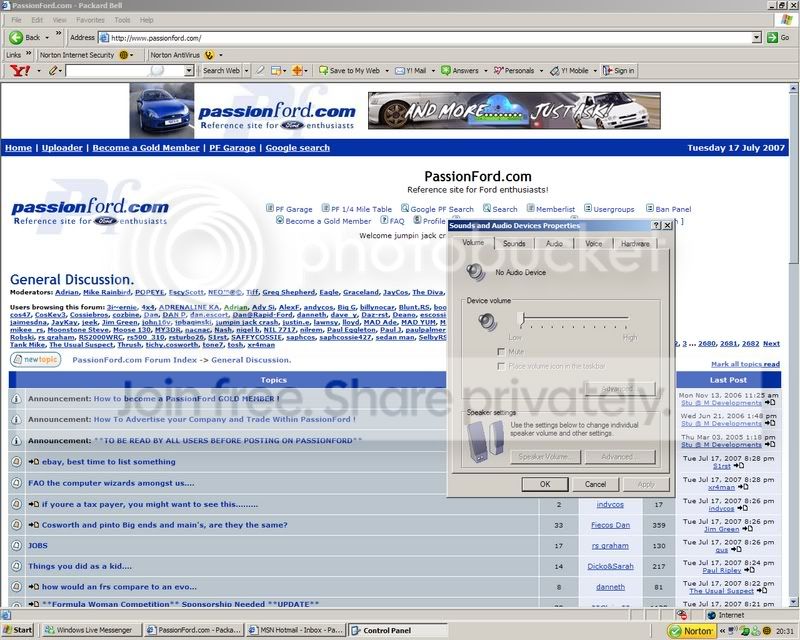
Right, get the thingy on your screen, press printscreen key on your keyboard, then open up windows paint, hit "edit" and then "paste" job done, upload and post on here
Right, get the thingy on your screen, press printscreen key on your keyboard, then open up windows paint, hit "edit" and then "paste" job done, upload and post on here
Trending Topics

PassionFord's crazy fool!
Joined: May 2004
Posts: 7,102
Likes: 0
From: Leeds, West Yorkshire
Looks like you have somehow disabled your soundcard or uninstalled it somehow.
Go to Start, Control Panel, and go to System and then I think it's hardware... I ain't got XP now so can't reference it, hit Device Manager and look for sound/video/game controllers or whatever it's called and see if your sound card is disabled or you have anything with an ! over it.
Go to Start, Control Panel, and go to System and then I think it's hardware... I ain't got XP now so can't reference it, hit Device Manager and look for sound/video/game controllers or whatever it's called and see if your sound card is disabled or you have anything with an ! over it.


Too many posts.. I need a life!!
Joined: Apr 2004
Posts: 574
Likes: 0
From: North West UK
Try restart if u havent already.
bit OTT but u could try system restore if ure running XP, just restore from the most recent date available....you will lose any recently installed apps....but it will set your system settings back to the restore date chosen.
bit OTT but u could try system restore if ure running XP, just restore from the most recent date available....you will lose any recently installed apps....but it will set your system settings back to the restore date chosen.
Thread Starter
its a gas gas gas
Joined: Sep 2004
Posts: 7,543
Likes: 0
From: Burnage but now shitty uxbridge
Originally Posted by DogSmoke
Looks like you have somehow disabled your soundcard or uninstalled it somehow.
Go to Start, Control Panel, and go to System and then I think it's hardware... I ain't got XP now so can't reference it, hit Device Manager and look for sound/video/game controllers or whatever it's called and see if your sound card is disabled or you have anything with an ! over it.
Go to Start, Control Panel, and go to System and then I think it's hardware... I ain't got XP now so can't reference it, hit Device Manager and look for sound/video/game controllers or whatever it's called and see if your sound card is disabled or you have anything with an ! over it.

went into volume control tho and is come up with this msg...
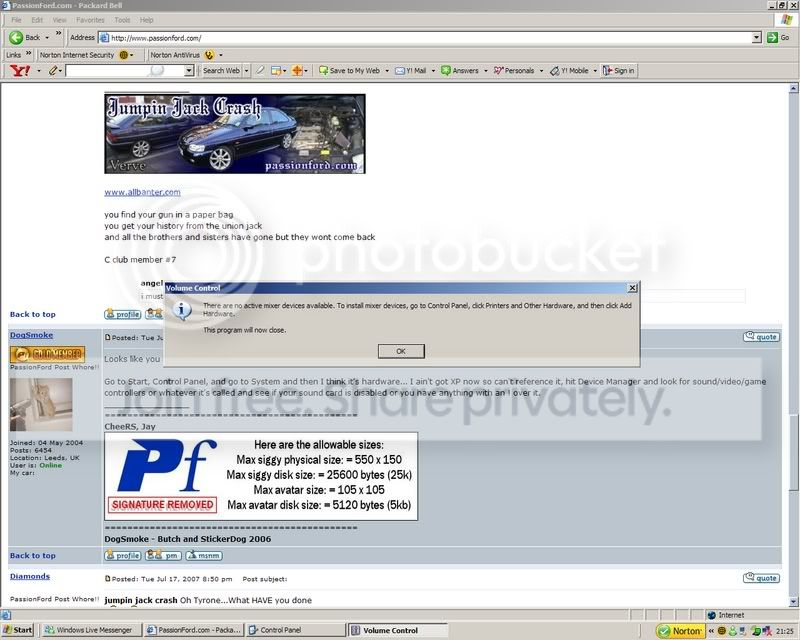
any idea?
Professional Waffler
Joined: May 2004
Posts: 27,883
Likes: 7
From: west midlands
can you think when this started to happen? did you do anything "un-toward" before hand?
Go to start bar, go to run, type in dxdiag and press enter, then wait for the box to load up, then click on sound tab, see if it comes up with any errors, and also give me a screen shot of that.
Go to start bar, go to run, type in dxdiag and press enter, then wait for the box to load up, then click on sound tab, see if it comes up with any errors, and also give me a screen shot of that.
Thread Starter
its a gas gas gas
Joined: Sep 2004
Posts: 7,543
Likes: 0
From: Burnage but now shitty uxbridge
Originally Posted by GTi_iTG
can you think when this started to happen? did you do anything "un-toward" before hand?
Go to start bar, go to run, type in dxdiag and press enter, then wait for the box to load up, then click on sound tab, see if it comes up with any errors, and also give me a screen shot of that.
Go to start bar, go to run, type in dxdiag and press enter, then wait for the box to load up, then click on sound tab, see if it comes up with any errors, and also give me a screen shot of that.
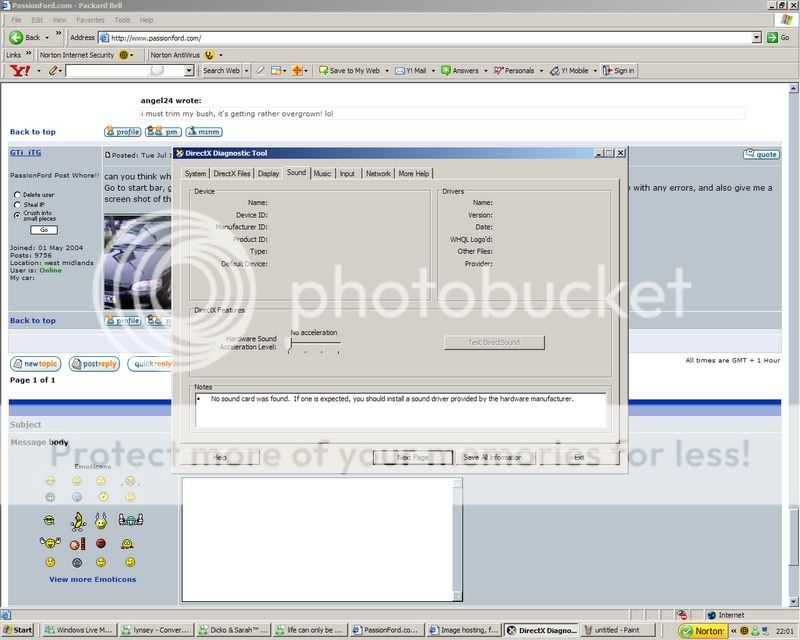
i tried the system restore butt just came back as incomplete


Ban[B][/B]ned
Joined: Jul 2005
Posts: 34,090
Likes: 0
From: The Pool.
From my long term involvement in computer hardware I believe it could be a problem with your sound distribution biodigital calculator and you have two options...
A) Ignore me because everything I wrote above was lies to make myself look clever.
B) Smash your computer twice on the top and once on the side with a hammer.
Benni.
A) Ignore me because everything I wrote above was lies to make myself look clever.
B) Smash your computer twice on the top and once on the side with a hammer.
Benni.
Thread Starter
its a gas gas gas
Joined: Sep 2004
Posts: 7,543
Likes: 0
From: Burnage but now shitty uxbridge
UnseenMenace not sure what you mean mate, im rubbish with computers 
GTi_iTG nah it still not sorted. been told it could be the driver which has disconnected and theres a site that i can upload the driver settings from again so im gonna find out what card it is later somehow and try and do that.
but if anyone else has any other solutions
GTi_iTG nah it still not sorted. been told it could be the driver which has disconnected and theres a site that i can upload the driver settings from again so im gonna find out what card it is later somehow and try and do that.
but if anyone else has any other solutions

10K+ Poster!!
Joined: May 2003
Posts: 10,089
Likes: 2
From: Handcuffed to the Mrs' Bed ;-)
Start -> Control Panel -> System -> Hardware -> Device Manager. Click on the + Next to sound video and game controllers. There should be a list of them, one mainly being your soundcard. Right Click on them one at a time and select uninstall. Once all removed restart your computer. Each of those removed devices should plug and play upon loading windows desktop. If the soundcard does not install, then I would go with updating the driver, providing of course you know what it is.
10K+ Poster!!
Joined: May 2003
Posts: 10,089
Likes: 2
From: Handcuffed to the Mrs' Bed ;-)
How will you find that out if you a) don't know the machine type if applicable (HP, Packard Bell, Dell), b) know the motherboard ? (Take side of the case off and there should be some markings on the board ASUS, ABIT, MSI and a version number etc) c) know the manufacturer of the sound card without taking it out and have a butchers ? 

Top Cab !!
Joined: Aug 2006
Posts: 3,989
Likes: 1
From: .
Originally Posted by DanRSturbo
How will you find that out if you a) don't know the machine type if applicable (HP, Packard Bell, Dell), b) know the motherboard ? (Take side of the case off and there should be some markings on the board ASUS, ABIT, MSI and a version number etc) c) know the manufacturer of the sound card without taking it out and have a butchers ?

Thread
Thread Starter
Forum
Replies
Last Post
nipper.1
Ford KUGA
12
May 30, 2022 07:39 PM