


i tunes - ipod help


Thread Starter
PassionFord Regular
Joined: Oct 2004
Posts: 373
Likes: 0
From: northants
 i tunes - ipod help
hi  i got i tunes on my pc, ive plug my mates ipod into the computer. its shows up and i can listen and look throu all his songs.
i want to put his songs in my libaray but i karnt seems to get um arcross .
.
ive try draging um over but that wont work and i ent got a clue how to do it, ive bin trying for ages
can any tell me how to do it please
i got i tunes on my pc, ive plug my mates ipod into the computer. its shows up and i can listen and look throu all his songs. i want to put his songs in my libaray but i karnt seems to get um arcross
. ive try draging um over but that wont work
and i ent got a clue how to do it, ive bin trying for ages can any tell me how to do it please


Advanced PassionFord User
Joined: Oct 2004
Posts: 2,055
Likes: 0
Re: i tunes - ipod help
Originally Posted by fiesta_turbo_daddy
hi i got i tunes on my pc, ive plug my mates ipod into the computer. its shows up and i can listen and look throu all his songs.
i want to put his songs in my libaray but i karnt seems to get um arcross .
ive try draging um over but that wont work and i ent got a clue how to do it, ive bin trying for ages
can any tell me how to do it please
i got i tunes on my pc, ive plug my mates ipod into the computer. its shows up and i can listen and look throu all his songs. i want to put his songs in my libaray but i karnt seems to get um arcross
. ive try draging um over but that wont work
and i ent got a clue how to do it, ive bin trying for ages can any tell me how to do it please
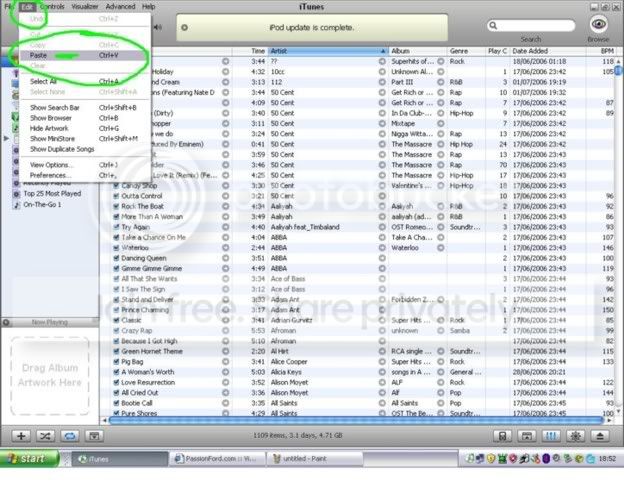
the ipod update settings need to be in "manual update" to beable to do it.

Trending Topics

MP for K.I.S.S
Joined: Apr 2005
Posts: 2,630
Likes: 0
From: Smogsville, Teesside
Right, ITunes shouldn't let you do this, its called 2 way synchronisation and its not part of iPod features. If you want to do this, use Windows Explorer with the ipod plugged in and look for an entry marked removable disk.
Double click this, it'll be the ipod. Make sure you have the option to view all files and folders turned on. There should be a music folder thats normally hidden. In here are lots of numbered folders. Drag the lot across onto a folder on the PC. You have all the files now on your machine. Bit of a bollock ache, but the easiest method to get the job done.
Cheers
Matt
Double click this, it'll be the ipod. Make sure you have the option to view all files and folders turned on. There should be a music folder thats normally hidden. In here are lots of numbered folders. Drag the lot across onto a folder on the PC. You have all the files now on your machine. Bit of a bollock ache, but the easiest method to get the job done.
Cheers
Matt
Advanced PassionFord User
Joined: Oct 2004
Posts: 2,055
Likes: 0
Originally Posted by collierm
Right, ITunes shouldn't let you do this, its called 2 way synchronisation and its not part of iPod features. If you want to do this, use Windows Explorer with the ipod plugged in and look for an entry marked removable disk.
Double click this, it'll be the ipod. Make sure you have the option to view all files and folders turned on. There should be a music folder thats normally hidden. In here are lots of numbered folders. Drag the lot across onto a folder on the PC. You have all the files now on your machine. Bit of a bollock ache, but the easiest method to get the job done.
Cheers
Matt
Double click this, it'll be the ipod. Make sure you have the option to view all files and folders turned on. There should be a music folder thats normally hidden. In here are lots of numbered folders. Drag the lot across onto a folder on the PC. You have all the files now on your machine. Bit of a bollock ache, but the easiest method to get the job done.
Cheers
Matt


I've found that life I needed.. It's HERE!!
Joined: Mar 2006
Posts: 1,078
Likes: 0
Go onto your my computer. Click on the Ipod. Right Click and go to properties and check a box thats says "show hidden files". The hidden file will appear all his music's in there. Copy and paste or drag what you want!

Thread
Thread Starter
Forum
Replies
Last Post
SMILER258
Restorations, Rebuilds & Projects.
36
Sep 28, 2015 09:04 AM