


Ebay - do I have a case??


Thread Starter
10K+ Poster!!
iTrader: (1)
Joined: May 2003
Posts: 13,649
Likes: 18
From: ___________
 Ebay - do I have a case??
just got his as I wanted to go wireless on my laptop...
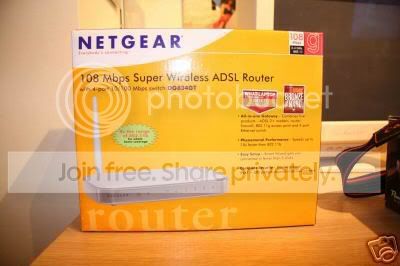
description is this..
NETGEAR ASDL WIRELESS ROUTER / MODEM BRAND NEW
BUT it doesnt have a modem...?? basically the product doesnt match the description..
or is it a case of lesson learnt..
description is this..
NETGEAR ASDL WIRELESS ROUTER / MODEM BRAND NEW
BUT it doesnt have a modem...??
basically the product doesnt match the description.. or is it a case of lesson learnt..
Thread Starter
10K+ Poster!!
iTrader: (1)
Joined: May 2003
Posts: 13,649
Likes: 18
From: ___________
NETGEAR ASDL WIRELESS ROUTER / MODEM BRAND NEW
it states, /modem.. there is no modem, hence wrong product for the description, hence the c*nt is getting neg feedback..
it states, /modem.. there is no modem, hence wrong product for the description, hence the c*nt is getting neg feedback..

Advanced PassionFord User
Joined: May 2003
Posts: 1,935
Likes: 0
From: BURTON ON TRENT
every thing is there mate 
you plug that into your phone line. set your laptop up with the cables and shit, then wack the dongle in the lappy, and it will connect to the router and then theat connect to the internet
no been misdescribed at all fella, read the instruction
you plug that into your phone line. set your laptop up with the cables and shit, then wack the dongle in the lappy, and it will connect to the router and then theat connect to the internet
no been misdescribed at all fella, read the instruction
Trending Topics

MP for K.I.S.S
Joined: Apr 2005
Posts: 2,630
Likes: 0
From: Smogsville, Teesside
WIFI - means you can connect to it wirelessly, no cables needed.
Your laptop probably has an ethernet port on the back, so at the worst, you can plug a network cable in the back of your laptop and into the ethernet port on the back of the router.
Your laptop probably has an ethernet port on the back, so at the worst, you can plug a network cable in the back of your laptop and into the ethernet port on the back of the router.
Advanced PassionFord User
Joined: May 2003
Posts: 1,935
Likes: 0
From: BURTON ON TRENT
Originally Posted by Westy
there is no dongle..
my laptop is Wifi enabled if that means anything??
my laptop is Wifi enabled if that means anything??
have a read (they are foooking hard 2 setup) but them netgears are easier than most
Thread Starter
10K+ Poster!!
iTrader: (1)
Joined: May 2003
Posts: 13,649
Likes: 18
From: ___________
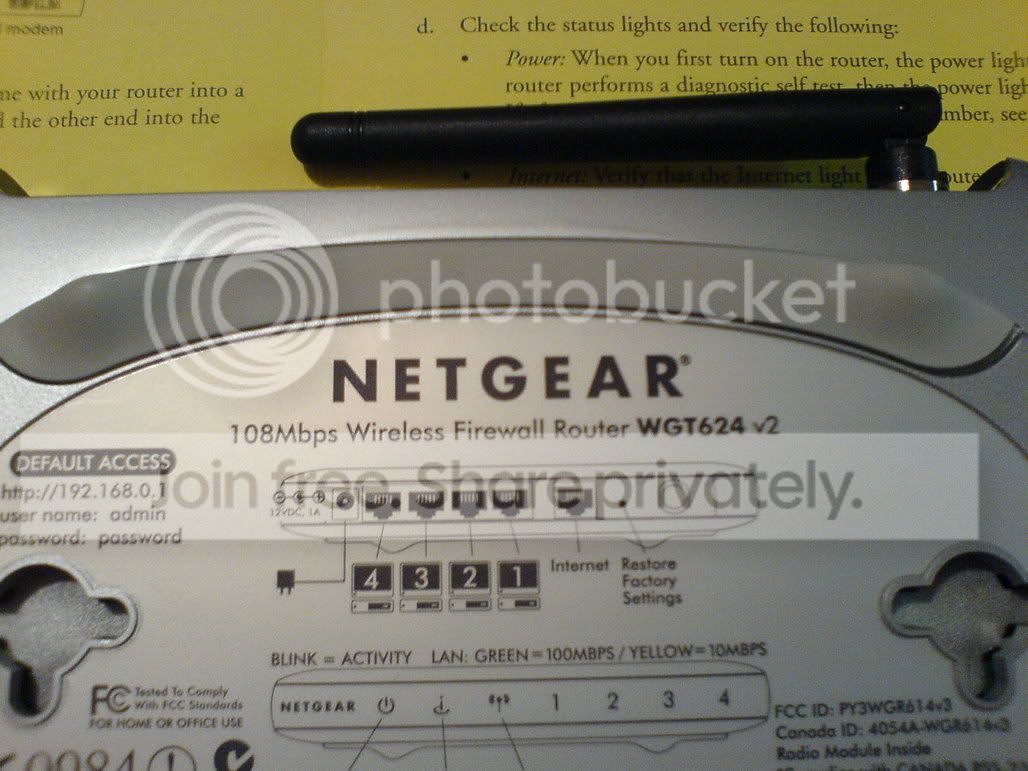
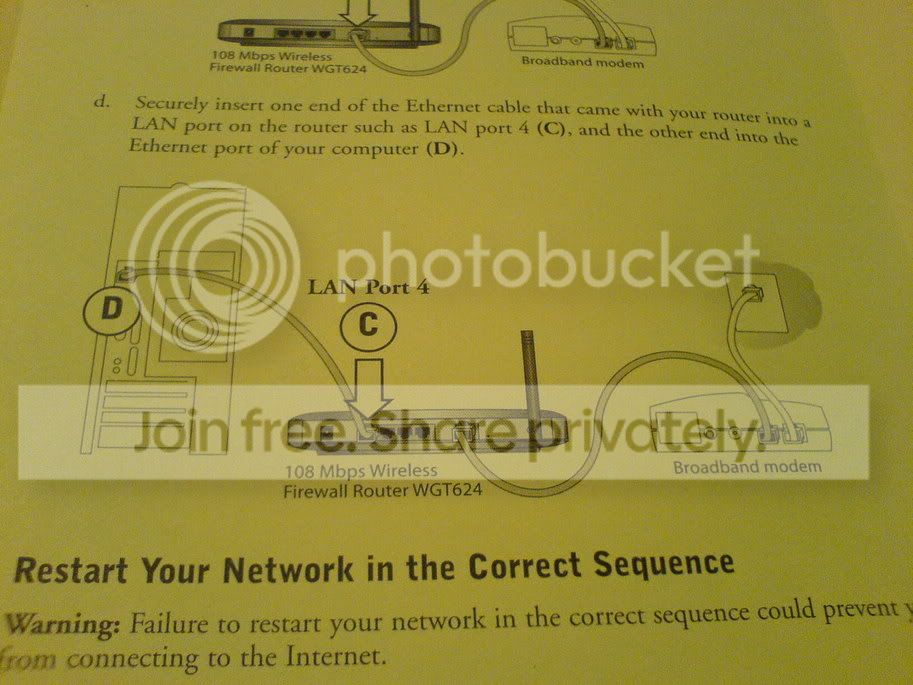
right, i'll take a couple of pics on my phone...
maybe acting abit harsh because of no cig for nearly a wekk..
My poiint is,... its ADVERTISED as a combined MODEM and Router.. but it doesnt have a modem..
maybe acting abit harsh because of no cig for nearly a wekk..
My poiint is,... its ADVERTISED as a combined MODEM and Router.. but it doesnt have a modem..



PassionFords Creator
iTrader: (12)
Joined: May 2003
Posts: 28,824
Likes: 95
From: Blackpool, UK Destination: Rev limiter
How come the unit itself doesnt say its an ADSL router, but the box does?
**
Sorry paul, edited my last post when i saw your pics... it looks a bit bizzare in that fooking diagram...
**
Sorry paul, edited my last post when i saw your pics... it looks a bit bizzare in that fooking diagram...

Thread Starter
10K+ Poster!!
iTrader: (1)
Joined: May 2003
Posts: 13,649
Likes: 18
From: ___________
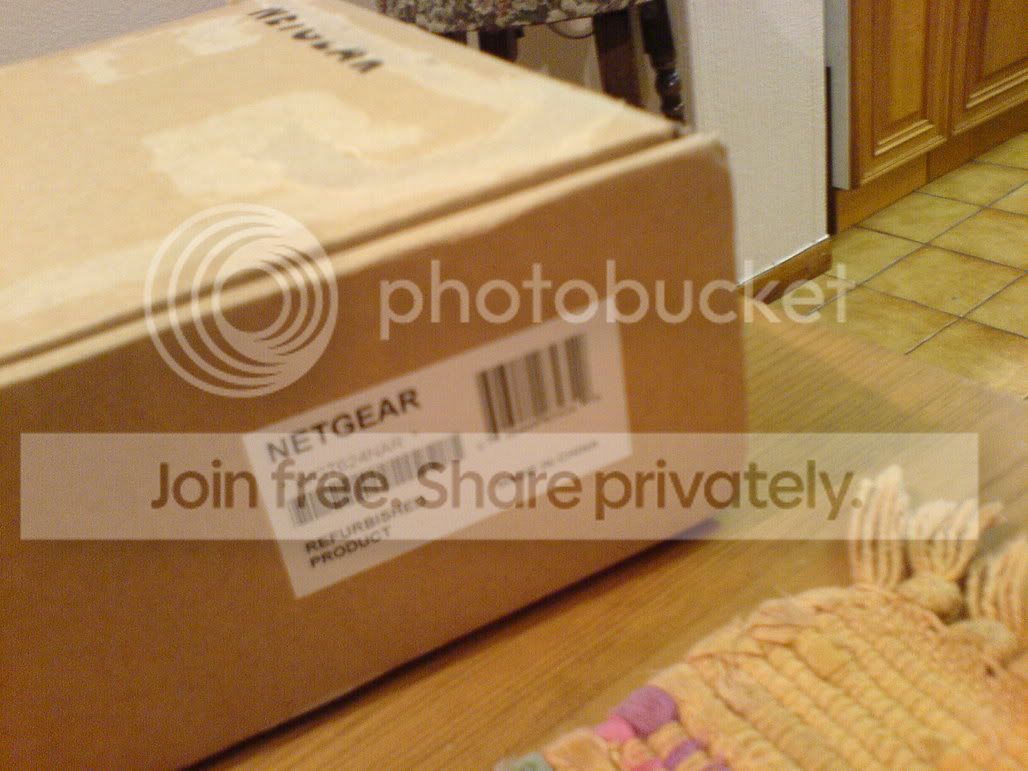
the pic of the box is the ebay box..
the actual box it came in was a brown cardboard one, with Netgear wrote on it.. nothing else..
its a refurb sadvertised as NEW.. guess it is kinda new tho...
the diagram shows that it needs to be connected to a modem..
the actual box it came in was a brown cardboard one, with Netgear wrote on it.. nothing else..
its a refurb
sadvertised as NEW.. guess it is kinda new tho...the diagram shows that it needs to be connected to a modem..
Thread Starter
10K+ Poster!!
iTrader: (1)
Joined: May 2003
Posts: 13,649
Likes: 18
From: ___________
Originally Posted by andrek12345
i have one, it was easy to install, i plugged my modem into it, a cable from my pc to it, and voila, wireless laptop + psp
but round my gaff I only have one Laptop no other PC's..

PassionFord Post Troll
Joined: Jun 2003
Posts: 2,942
Likes: 0
havent read the thread but i have this at home with two wireless cards instead of the usb stick.
looks like you didnt buy the wirless cards for it to work as you can buy them seperate from the router/modem
i'm on broadband using a BT line and theres no probs
looks like you didnt buy the wirless cards for it to work as you can buy them seperate from the router/modem
i'm on broadband using a BT line and theres no probs

Advanced PassionFord User
Joined: May 2003
Posts: 1,935
Likes: 0
From: BURTON ON TRENT
could be an honest mistake? does he sell lots of computer bits? if so then it may just be a mistake
dont leave neg, or youll just get it back and he will tell you to fook off. get in contact with him and say he may have sent you the worng item
dont leave neg, or youll just get it back and he will tell you to fook off. get in contact with him and say he may have sent you the worng item


Joined: May 2003
Posts: 21,268
Likes: 147
From: The Dark Side of the Moon...
Right, if the listing ad said;
NETGEAR ASDL WIRELESS ROUTER / MODEM BRAND NEW
Then yes, the listing is WRONG. Because what you have there is a ETHERNET ROUTER WITH WIRELESS ACCESS POINT - not a modem.
Now the seller might have been confused here also so it's POSSIBLE it's not his fault.
What you have is a router - you plug it into an ADSL point (in the home situation this would be a broadband modem - in offices chances are it would just be a network port on the wall which comes from the main "modem")
The routher takes the internet feed from the modem, and splits it. Built in is a 4-port enthernet switch allowing you to hardwire 4 computers to you broadband, whereas before you could only have one PC hooked in. It also has a WAP (wireless access point) allowing you to connect computers, laptops, PDS's etc to it wireless'ly aswell.
So I take it you have broadband at home already? What modem do you have, and how is it connected to the computer? If it is connected via ethernet cable then you're fine - just set it up using the diagram in the pics you posted and you are sorted. If yours is a USB plug into the ocmputer then you need one of these;
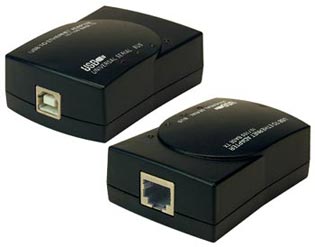
A USB > Ethernet adpater. Plug the USB cable from your modem into one end (plug types vary's so get the correct one for your type) and from the other end you can plug in a cat5 ethernet "patch" cable to connect to your router (the point in the pic marked INTERNET)
Then connect the router to the PC/laptop via another cat5 patch cable, or wirelessly if your PC/laptop is wifi enabled.
HTH's!!!!
NETGEAR ASDL WIRELESS ROUTER / MODEM BRAND NEW
Then yes, the listing is WRONG. Because what you have there is a ETHERNET ROUTER WITH WIRELESS ACCESS POINT - not a modem.
Now the seller might have been confused here also so it's POSSIBLE it's not his fault.
What you have is a router - you plug it into an ADSL point (in the home situation this would be a broadband modem - in offices chances are it would just be a network port on the wall which comes from the main "modem")
The routher takes the internet feed from the modem, and splits it. Built in is a 4-port enthernet switch allowing you to hardwire 4 computers to you broadband, whereas before you could only have one PC hooked in. It also has a WAP (wireless access point) allowing you to connect computers, laptops, PDS's etc to it wireless'ly aswell.
So I take it you have broadband at home already? What modem do you have, and how is it connected to the computer? If it is connected via ethernet cable then you're fine - just set it up using the diagram in the pics you posted and you are sorted. If yours is a USB plug into the ocmputer then you need one of these;
A USB > Ethernet adpater. Plug the USB cable from your modem into one end (plug types vary's so get the correct one for your type) and from the other end you can plug in a cat5 ethernet "patch" cable to connect to your router (the point in the pic marked INTERNET)
Then connect the router to the PC/laptop via another cat5 patch cable, or wirelessly if your PC/laptop is wifi enabled.
HTH's!!!!

Part of the Furniture
Joined: May 2004
Posts: 160
Likes: 0
Mistakes can be made ofcourse and DUDE_SWEET_FRST is correct about the feedback, have a word with him.
ADSL router doesnt mean it will have a modem as standard, but the one in the first picture does come with an integrated modem.
ADSL router doesnt mean it will have a modem as standard, but the one in the first picture does come with an integrated modem.
Thread Starter
10K+ Poster!!
iTrader: (1)
Joined: May 2003
Posts: 13,649
Likes: 18
From: ___________
Now the seller might have been confused here also so it's POSSIBLE it's not his fault.

PassionFord Post Whore!!


Joined: Sep 2004
Posts: 4,773
Likes: 86
From: Nottingham
From Netgear website:
************************************************** ******
System Requirements:
· Broadband (cable, DSL) Internet service and modem with Ethernet connection
· 2.4 GHz wireless adapter or Ethernet adapter and cable for each computer
· Windows® 98, Me, NT, 2000, XP, Mac® OS, NetWare®, UNIX®, or Linux®
· Internet Explorer 5.0 or Netscape® 4.7 or higher
************************************************** ******
You need to be on Broadband Adsl via your B.T line and you should already have an ADSL modem.
You also need a Wireless card or be wireless enabled in your laptop.
This Netgear router DOES NOT have a modem.
.
************************************************** ******
System Requirements:
· Broadband (cable, DSL) Internet service and modem with Ethernet connection
· 2.4 GHz wireless adapter or Ethernet adapter and cable for each computer
· Windows® 98, Me, NT, 2000, XP, Mac® OS, NetWare®, UNIX®, or Linux®
· Internet Explorer 5.0 or Netscape® 4.7 or higher
************************************************** ******
You need to be on Broadband Adsl via your B.T line and you should already have an ADSL modem.
You also need a Wireless card or be wireless enabled in your laptop.
This Netgear router DOES NOT have a modem.
.
