


PC help...




Thread Starter
garibaldi
Joined: Apr 2004
Posts: 8,294
Likes: 1
From: Wednesbury

well er graphics cards tbh. I wil cut it short.
I have 2 pcs.
Dell xps420 with Nvidia 8800gt card but NO HDMI output. Works great and pc really quick and has arating of 5.9
Other pc is a HPm9090a with a Nvidia 8600 gt card WITH HDMI output.
Swapped the pc over in order that i could (and have) connect my pc to the tv on the wall via 10m flat hdmi cable with the HP
Thing is, is that the 8600gt seems so slower than the 8800 gt when on the internet etc and as such the system is rated a measley 5.0
What could i replace either my dell with ie hdmi graphics card with or even the hp??
\the hp bizarrely is a beter spec ie remote control, 1tb hard drive into 2 plus a 500gb portable hard drive which has all my music on (16gb)
The dell has no remote control but has 2x465gb hard drives.
Just a bit confused as to which one to improve etc
I have 2 pcs.
Dell xps420 with Nvidia 8800gt card but NO HDMI output. Works great and pc really quick and has arating of 5.9
Other pc is a HPm9090a with a Nvidia 8600 gt card WITH HDMI output.
Swapped the pc over in order that i could (and have) connect my pc to the tv on the wall via 10m flat hdmi cable with the HP
Thing is, is that the 8600gt seems so slower than the 8800 gt when on the internet etc and as such the system is rated a measley 5.0
What could i replace either my dell with ie hdmi graphics card with or even the hp??
\the hp bizarrely is a beter spec ie remote control, 1tb hard drive into 2 plus a 500gb portable hard drive which has all my music on (16gb)
The dell has no remote control but has 2x465gb hard drives.
Just a bit confused as to which one to improve etc
Last edited by The Sludge; Jul 23, 2010 at 08:09 PM.
If the HP is the better rig i would say that one, however, it all depends on what motherboard it has for available PCI express cards as most are today. Also, internal size of the case as alot of new graphics cards are mahooosive!! which also leads to the next question, power supply. My graphics card needs its own 500watts of power with 3 connectors!
However, the choices are limitless cards wise, its just knowning what the rig can take.
However, the choices are limitless cards wise, its just knowning what the rig can take.
Trending Topics

TORQUE!
Joined: Sep 2006
Posts: 11,756
Likes: 3
From: Sheffield

PassionFord Post Whore!!
Joined: May 2003
Posts: 7,617
Likes: 1
From: Not near you
Maybe so but thier CCC software is pants.
I had drivers of 8.x come with the card, i installed them AFTER uninstalling nvidia drivers with detdriver program, then had shit loads of trouble with the drivers for the ATI card.
So after uninstalling the ATI drivers, then updating to newest drivers i finaly got it to work, but even now the refresh rate of my moitor changes almost randomly from 60mhz to 85mhz, which is controlled by the card and NOT the monitor now
I had drivers of 8.x come with the card, i installed them AFTER uninstalling nvidia drivers with detdriver program, then had shit loads of trouble with the drivers for the ATI card.
So after uninstalling the ATI drivers, then updating to newest drivers i finaly got it to work, but even now the refresh rate of my moitor changes almost randomly from 60mhz to 85mhz, which is controlled by the card and NOT the monitor now
PassionFord Post Whore!!
Joined: May 2003
Posts: 7,617
Likes: 1
From: Not near you
Thread Starter
garibaldi
Joined: Apr 2004
Posts: 8,294
Likes: 1
From: Wednesbury
ford racing3
need for speed
f1
Colin mcrae
my HP M9090a pc is
windows7 32 bit
4gb
Intel 2 Quad Core
Q6600@2.40 ghz 2.39ghz
Nvidia 8600gt
Realtek sound card
2X500gb HD and portable 500gb hd
My Dell xps 420 is
windows7 32 bit
4gb
Intel 2 Quad Core
Q6600@2.40 ghz 2.39ghz
Nvidia 8800gt
Audigy soundblaster
2x465gb HD
The dell seems massively quicker tbh...just need hdmi card tbh
Last edited by The Sludge; Jul 23, 2010 at 09:37 PM.


Thread Starter
garibaldi
Joined: Apr 2004
Posts: 8,294
Likes: 1
From: Wednesbury


Thread Starter
garibaldi
Joined: Apr 2004
Posts: 8,294
Likes: 1
From: Wednesbury

TORQUE!
Joined: Sep 2006
Posts: 11,756
Likes: 3
From: Sheffield
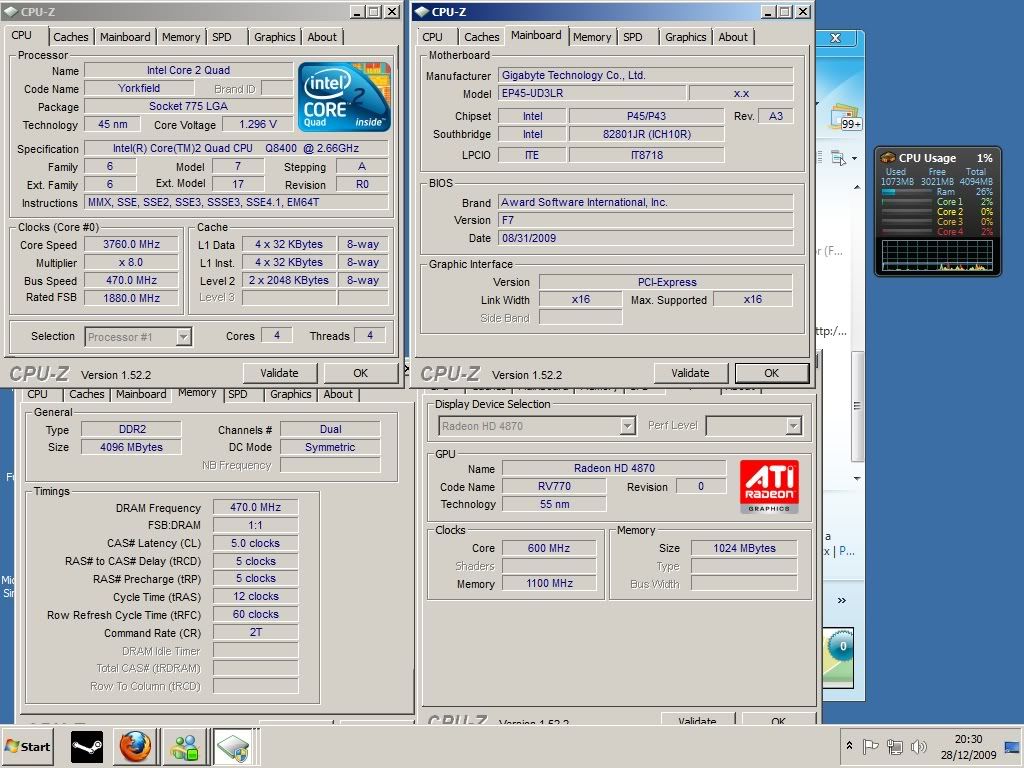
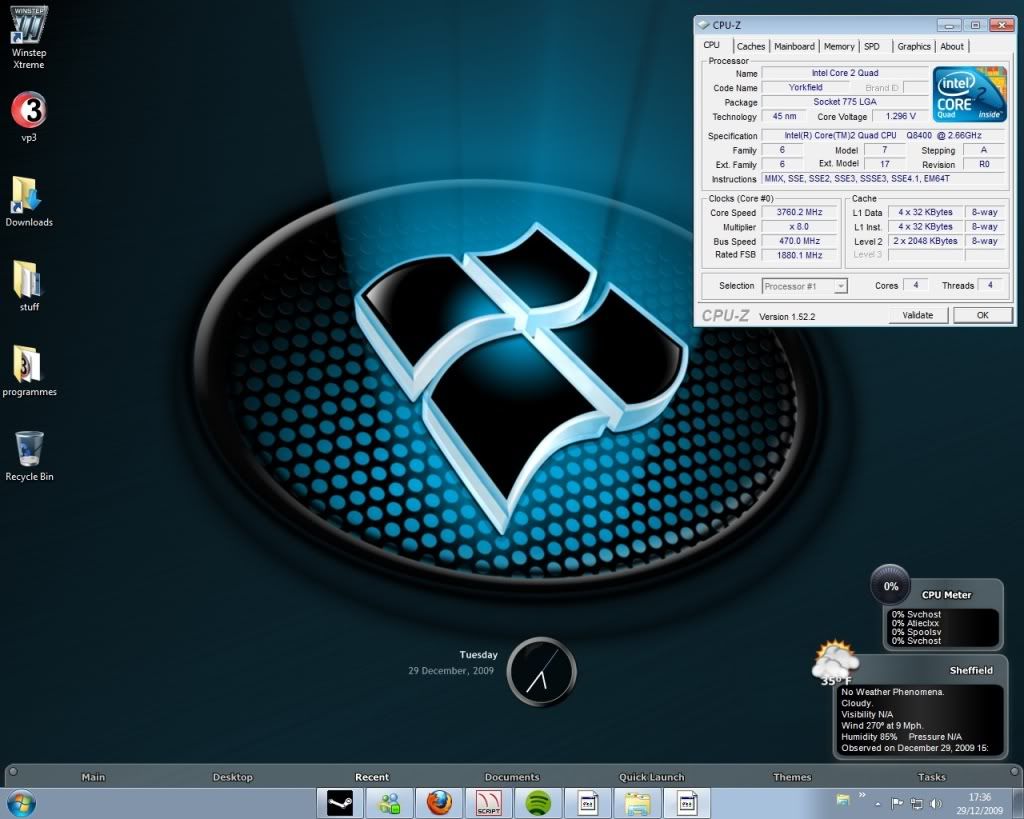
Mine started off @ 2.6ghz and i run it now at about 3.7ghz the difference is huge and been quad core i can run or do anything i want and it doesn't even flinch ive had it up to 4ghz but with the ram ive got it just wouldn't stay stable enough ( would crash once or twice a week ) also got my ram and gfx card overclocked to ( although the picture below doesn't show that just cpu speed )

i jut got this ...
http://www.overclockers.co.uk/showpr...odid=GX-163-XF
although not at that price was the only link i could find ..lol... decided the extra £5 it cost over the run of the mill cards was worth it .. also comes with a 3 year warrenty so even happier .. runs cooler than my old 8800 gt too ...
Thread Starter
garibaldi
Joined: Apr 2004
Posts: 8,294
Likes: 1
From: Wednesbury
No it doesn't if done correctly, i wouldn't want to try and tell you on here you would be alot better reading up on it and first and knowing a few of the basics http://www.overclockers.com/forums/s...d.php?t=263753
Mine started off @ 2.6ghz and i run it now at about 3.7ghz the difference is huge and been quad core i can run or do anything i want and it doesn't even flinch ive had it up to 4ghz but with the ram ive got it just wouldn't stay stable enough ( would crash once or twice a week ) also got my ram and gfx card overclocked to ( although the picture below doesn't show that just cpu speed )
Mine started off @ 2.6ghz and i run it now at about 3.7ghz the difference is huge and been quad core i can run or do anything i want and it doesn't even flinch ive had it up to 4ghz but with the ram ive got it just wouldn't stay stable enough ( would crash once or twice a week ) also got my ram and gfx card overclocked to ( although the picture below doesn't show that just cpu speed )
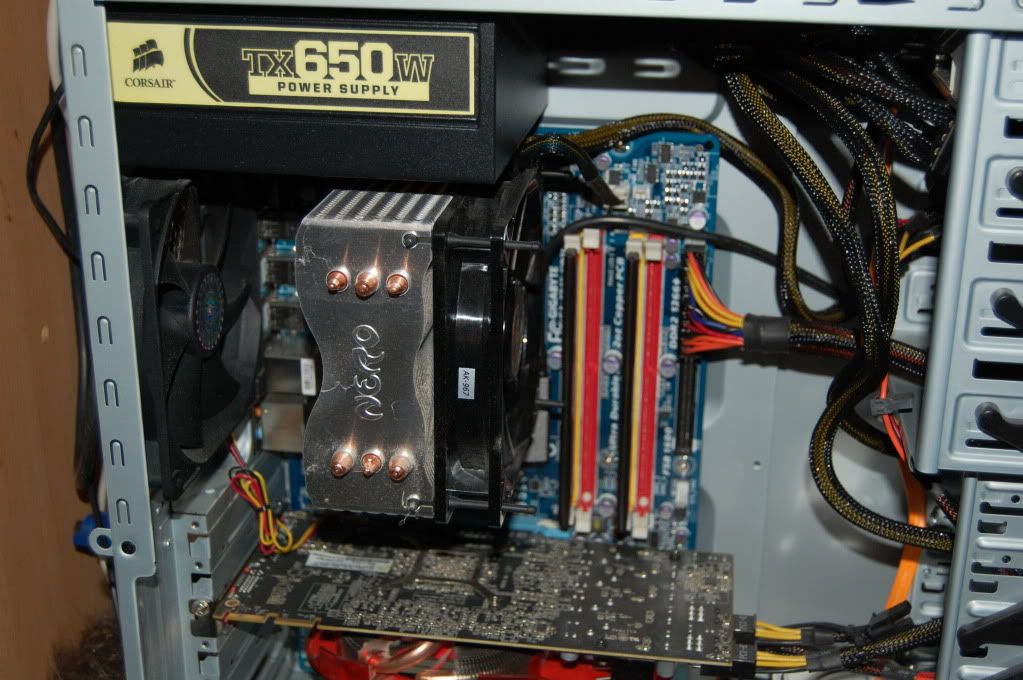
1 question though, i read it needs a 500w psu. How can i find what is already in mine??? If its less that 500w i guess it needs to be replaced?
Just grabbed this info from mine

Last edited by The Sludge; Jul 24, 2010 at 02:19 PM.



Thread Starter
garibaldi
Joined: Apr 2004
Posts: 8,294
Likes: 1
From: Wednesbury
cheers danneth. Just had a look and i have
main
advanced
power boot
for each of those there is an option of choosing to load up defaults but nothing like yours has. Even by choosing them all, it has not made a difference.
Would it also make any difference if i was on dual boot?
Oh and found out the psu is a measley 300w......my dell xps420 is 425w
main
advanced
power boot
for each of those there is an option of choosing to load up defaults but nothing like yours has. Even by choosing them all, it has not made a difference.
Would it also make any difference if i was on dual boot?
Oh and found out the psu is a measley 300w......my dell xps420 is 425w
Last edited by The Sludge; Jul 25, 2010 at 01:31 PM.
TORQUE!
Joined: Sep 2006
Posts: 11,756
Likes: 3
From: Sheffield
in the bios look for "Speedstep and C1E." make sure they are disabled
again depends on your bios but it shows it on here C1E is enabled here should be disabled

again depends on your bios but it shows it on here C1E is enabled here should be disabled
Last edited by danneth; Jul 25, 2010 at 02:03 PM.

Thread
Thread Starter
Forum
Replies
Last Post
