


Help, my iMac cannot see my new epsom printer over wifi?


Thread Starter
15K+ Super Poster!!
Joined: Apr 2004
Posts: 16,505
Likes: 1
From: Croydon
 Help, my iMac cannot see my new epsom printer over wifi?
Hi Guys
Right been banging my head against the wall on this and tried everything I can think of to sort this. First real problem I have had with this computer.
I have a intel iMac running Mac OS X 10.5.8 which is connected via wireless to a Thompson O2 Wireless Box III, my new printer is an Epson Stylus SX425W.
Now, when I connect the printer to the network via the front panel (no connection to the Mac) it picks up the network and I can print off the following confirmation sheet
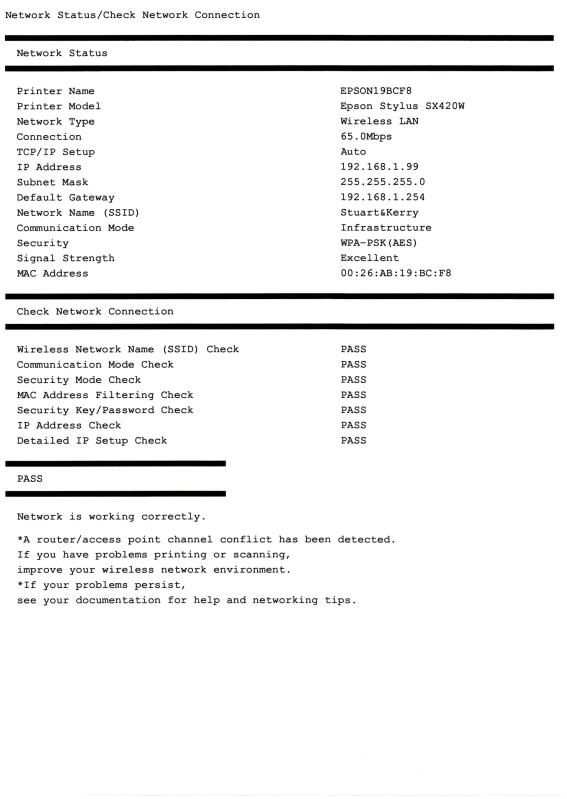
Now it says conflicts, but I don't know what any of that means!
Now if I check the O2 Lan info I can see the printer connected to the network.
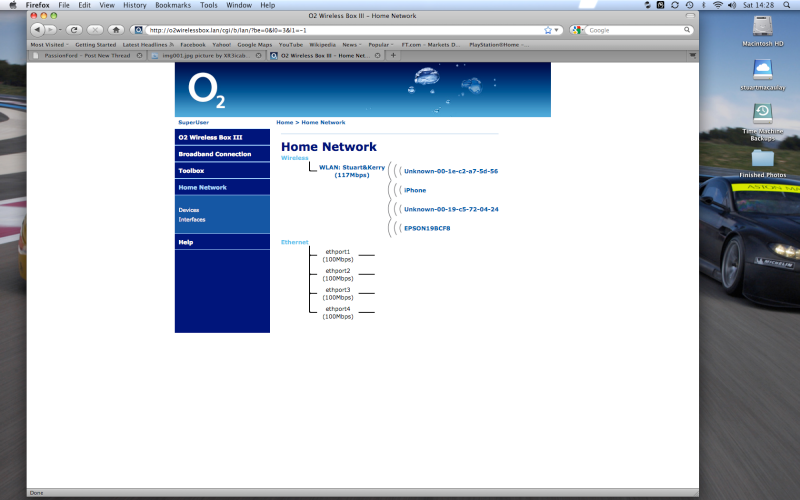
But when I go to connect it to run via the router I get this!
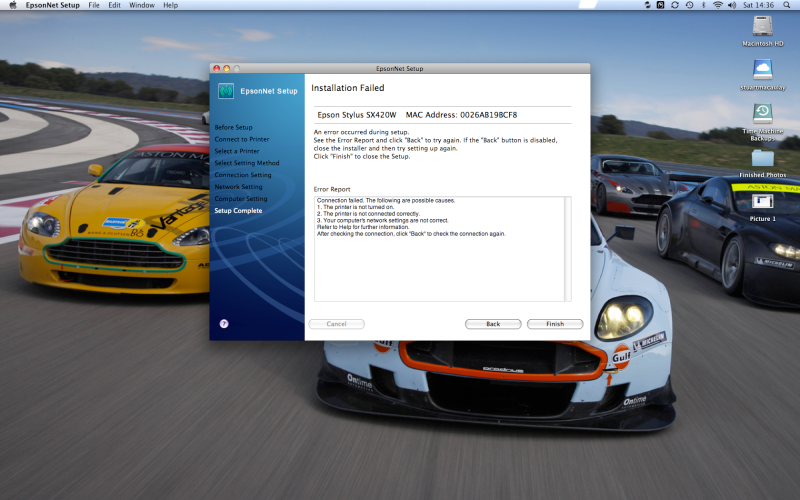
I've twiddled with so many settings I have no idea what I am doing wrong? Can anyone point me in the right direction?
Right been banging my head against the wall on this and tried everything I can think of to sort this. First real problem I have had with this computer.
I have a intel iMac running Mac OS X 10.5.8 which is connected via wireless to a Thompson O2 Wireless Box III, my new printer is an Epson Stylus SX425W.
Now, when I connect the printer to the network via the front panel (no connection to the Mac) it picks up the network and I can print off the following confirmation sheet
Now it says conflicts, but I don't know what any of that means!
Now if I check the O2 Lan info I can see the printer connected to the network.
But when I go to connect it to run via the router I get this!
I've twiddled with so many settings I have no idea what I am doing wrong? Can anyone point me in the right direction?

Thread
Thread Starter
Forum
Replies
Last Post
salsheikh
Alloy wheels and ICE for sale
0
Jul 30, 2015 08:45 PM
FE'Z'OE
General Car Related Discussion.
13
Jan 21, 2006 04:17 PM
