


FAO Thrush


Thread Starter
Skint Passionford User
iTrader: (9)
Joined: Aug 2005
Posts: 4,085
Likes: 0
From: Upton, Wirral
 FAO Thrush
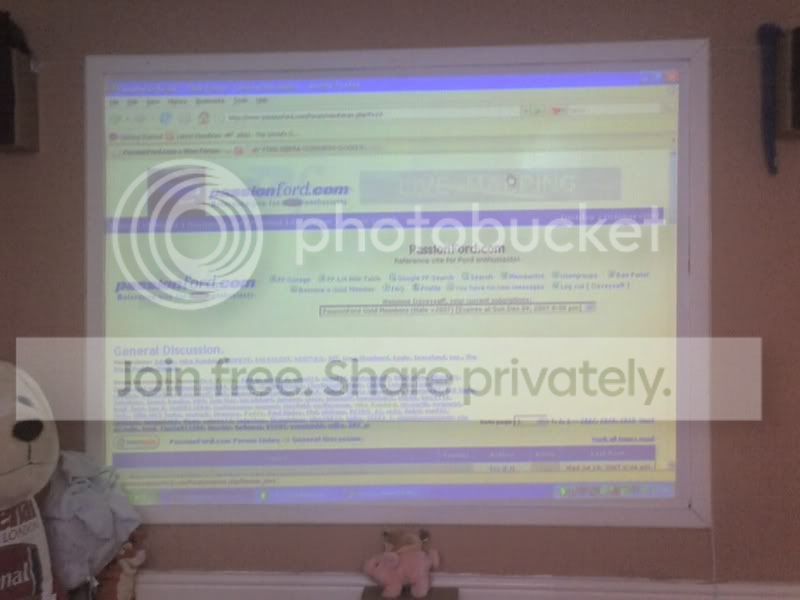
All sorted now!! Can only get the sound in stereo rather than 5.1 but its working!!! More more burning DVD's!!!
Thanks again for your help mate


Thread Starter
Skint Passionford User
iTrader: (9)
Joined: Aug 2005
Posts: 4,085
Likes: 0
From: Upton, Wirral
Yeah it is, £150 off 'a bloke in the pub', cant get the fucker straight though 
Now i'm gonna sit back and wait for 'critical error' in letters a foot high!!
Now i'm gonna sit back and wait for 'critical error' in letters a foot high!!


 ............


Joined: May 2003
Posts: 21,268
Likes: 147
From: The Dark Side of the Moon...
Good man!
When you say you can only get it in stereo rather than 5.1 - are you running that Trust digital card using an optical connection?
To set it up for surround decoding, you need to do the following;
Open the settings for the card (called Mixer I think - should be in your task bar)

Click the button with the pic of a hammer (bottom left) and you should get this;

Make sure your settings/boxes ticked are the same as above. Then, click the SPEAKERS tab - make sure the speakers are set to "2" and the SPDIF box is ticked - the speakers need to be set to two/stereo not 6, even tho you will be running it through six......
Thats all you need to do with the card settings. next are your players settings.....
Chances are, if you are using Windows Media Player or something similar, you won't get an output of 5.1 for movies etc..... You need to download and use VLC media player - http://www.videolan.org/vlc/download-windows.html
Download and do the following settings;
Open VLC and gotot SETTINGS > PREFERENCES/ Make sure the ADVANCED box is ticked (bottom right). Highlight AUDIO in the tree on the left and make sure your settings match these;

Next, click on the cross next to the OUTPUT MODULES (tree on left and then click the word OUTPUT MODULES. Again, make sure your settings match;

Next, click on FILE (left tree) and make sure settings match;

Then, click on WAVEOUT (left tree) and make sure settings match;

Lastly, open a file in VLC that you know has surround sound in it. Go to the AUDIO tab and hovver over the AUDIO DEVICE menu. Then make sure you click on the "A/52 over SPDIF" entry;

Now set your AV amp to auto decode and anything that is played through VLC that has 5.1 DD or DTS should send it directly to the amp, untouched, and the amp should decode the DD or DTS. Anything 2ch stereo will only be sent in 2ch stereo, but you can use the amps Pro Logic feature to upconvert if you want to.
When you say you can only get it in stereo rather than 5.1 - are you running that Trust digital card using an optical connection?
To set it up for surround decoding, you need to do the following;
Open the settings for the card (called Mixer I think - should be in your task bar)
Click the button with the pic of a hammer (bottom left) and you should get this;
Make sure your settings/boxes ticked are the same as above. Then, click the SPEAKERS tab - make sure the speakers are set to "2" and the SPDIF box is ticked - the speakers need to be set to two/stereo not 6, even tho you will be running it through six......
Thats all you need to do with the card settings. next are your players settings.....
Chances are, if you are using Windows Media Player or something similar, you won't get an output of 5.1 for movies etc..... You need to download and use VLC media player - http://www.videolan.org/vlc/download-windows.html
Download and do the following settings;
Open VLC and gotot SETTINGS > PREFERENCES/ Make sure the ADVANCED box is ticked (bottom right). Highlight AUDIO in the tree on the left and make sure your settings match these;
Next, click on the cross next to the OUTPUT MODULES (tree on left and then click the word OUTPUT MODULES. Again, make sure your settings match;
Next, click on FILE (left tree) and make sure settings match;
Then, click on WAVEOUT (left tree) and make sure settings match;
Lastly, open a file in VLC that you know has surround sound in it. Go to the AUDIO tab and hovver over the AUDIO DEVICE menu. Then make sure you click on the "A/52 over SPDIF" entry;
Now set your AV amp to auto decode and anything that is played through VLC that has 5.1 DD or DTS should send it directly to the amp, untouched, and the amp should decode the DD or DTS. Anything 2ch stereo will only be sent in 2ch stereo, but you can use the amps Pro Logic feature to upconvert if you want to.

Thread
Thread Starter
Forum
Replies
Last Post
Chris S
General Car Related Discussion.
4
Jan 4, 2007 07:11 PM
Disabled Account
General Car Related Discussion.
14
Oct 25, 2005 06:55 AM
Disabled Account
General Car Related Discussion.
4
Jun 14, 2005 06:17 PM