


FAO Photoshop experts!


 FAO Photoshop experts!
Help!
Why does my photoshop use a different colourset to windows?

Left is in photoshop, right is the same file viewed in windows!
Makes it hard to get photos looking good when they keep appearing differently!!
Any help appreciated!
Why does my photoshop use a different colourset to windows?
Left is in photoshop, right is the same file viewed in windows!
Makes it hard to get photos looking good when they keep appearing differently!!
Any help appreciated!


PassionFord Post Whore!!
Joined: May 2003
Posts: 9,076
Likes: 0
From: Northants
What colour settings are you using in Photoshop (Image>Mode, and Edit> Colour Pref's) and did you calibrate your monitor when you installed PS?
You can send me the file if you like, and I can see if I have the same problem?
Have a read:
http://www.computer-darkroom.com/ps7-colour/ps7_1.htm
You can send me the file if you like, and I can see if I have the same problem?
Have a read:
http://www.computer-darkroom.com/ps7-colour/ps7_1.htm
Bill, it's with all images not just that one. I'm reinstalling Photoshop CS to see if I can cure it. Had a look in the colour settings bit as AJ suggested but no options seemed to make any difference. Can't remember any monitor calibration though!
PassionFord Post Whore!!
Joined: May 2003
Posts: 9,076
Likes: 0
From: Northants
You'll want this link instead then, if you can be bothered to read through it, lol.
http://www.computer-darkroom.com/ps8-colour/ps8_1.htm
http://www.computer-darkroom.com/ps8-colour/ps8_1.htm
Well, now when I load it in CS it says there is an embedded colour profile mismatch and it will use the attached colour profile instead of the one I setup for my monitor 
This is with an image straight off my camera Obviously windows is not loading the colour profile I guess!
This is with an image straight off my camera
Obviously windows is not loading the colour profile I guess!
Trending Topics
PassionFord Post Whore!!
Joined: May 2003
Posts: 9,076
Likes: 0
From: Northants
What about using the auto adjust colour option - quite often makes pics look a bit better anyway......
Maybe your camera is ultra bling, and it's the jpeg settings on the camera affecting things?
Maybe your camera is ultra bling, and it's the jpeg settings on the camera affecting things?
Auto adjust colour option isn't what i'm after! The pictures look amazing in photoshop, then I save them, stick them on the web and they look completely different 
Just been through the adobe gamma settings but that hasn't done much, still reading though that site though..!
Just been through the adobe gamma settings but that hasn't done much, still reading though that site though..!
Nah I am saving as JPEG (obviously or the pictures wouldn't show on the web)
Imagine it as though the whole Photoshop window has a filter on it. I load up a file and it appears differently to opening the same file in another program!
I'm fairly sure its the colour settings, need to spend some time sorting it all out I think!
Imagine it as though the whole Photoshop window has a filter on it. I load up a file and it appears differently to opening the same file in another program!
I'm fairly sure its the colour settings, need to spend some time sorting it all out I think!

Hooray i've only gone and bloody done it..
quick fiddle with the colour settings in photoshop and its all good now
Cheers for the help anyway Bill
(P.S. yes I did mean save as )
)
quick fiddle with the colour settings in photoshop and its all good now
Cheers for the help anyway Bill
(P.S. yes I did mean save as
)
PassionFord Post Whore!!
Joined: May 2003
Posts: 9,076
Likes: 0
From: Northants
Right, so what did you change? You DO know what you changed, right......??
Try the save for web though, and play about with the jpeg compression settings - you'll be amazed at how much you can reduce the image size without affecting the visual quality, and it'll keep your bandwidth down and your users happy on the website - also makes the pics look cool on screen and crap when printed (obviously keep 'master' files for printing!)
Try the save for web though, and play about with the jpeg compression settings - you'll be amazed at how much you can reduce the image size without affecting the visual quality, and it'll keep your bandwidth down and your users happy on the website - also makes the pics look cool on screen and crap when printed
(obviously keep 'master' files for printing!)
Right, Edit -> Colour Settings
Changed the RGB Workspace profile to my monitor specific one. Then had to check the box Ask when opening for profile missmatches. The last bit was where I was going wrong before
Will have a play with the save for web, I usually have a twiddle with the compression slider when saving as a JPEG, but i'm not too bothered about bandwidth, rather have a high quality picture for my line of work
Will look into it now though
Changed the RGB Workspace profile to my monitor specific one. Then had to check the box Ask when opening for profile missmatches. The last bit was where I was going wrong before
Will have a play with the save for web, I usually have a twiddle with the compression slider when saving as a JPEG, but i'm not too bothered about bandwidth, rather have a high quality picture for my line of work
Will look into it now though
PassionFord Post Whore!!
Joined: May 2003
Posts: 9,076
Likes: 0
From: Northants

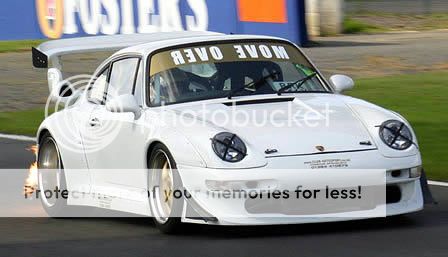
Spot the difference

BTW, if you look at your 'website post' from a few days back, a solution was posted to your 'scrollbar problem'

Also, when you first import/load up your pics and before resizing - when saving for the website only, change the resolution to 72dpi
any more is wasted on screen images.

Thread
Thread Starter
Forum
Replies
Last Post
DavidK
Ford Sierra/Sapphire/RS500 Cosworth
1
Sep 27, 2015 02:55 PM
ossie cossie
Pictures, video & Photoshop Forum
1
Sep 21, 2015 05:07 PM