


home cinema set ups


Thread Starter
PassionFord Post Whore!!
Joined: Jun 2003
Posts: 7,443
Likes: 26
From: london baby!
 home cinema set ups
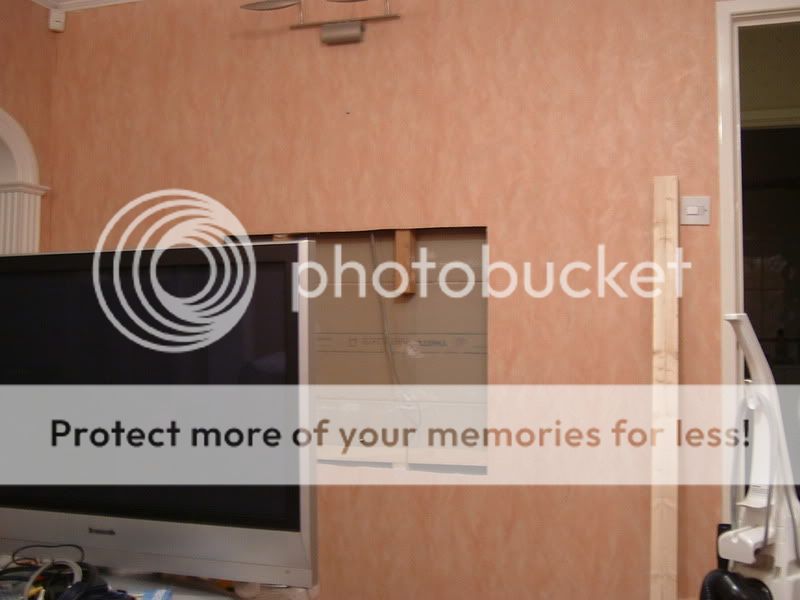
just bought myself a rather nice lcd screen and i want to mount it up on the wall.
the slight drawback of this is all my other setup is quite dated. i have a DVD player with component out, but my home cinema amp is really old (not dolby digital) and doesnt allow component through it.
my question is this? what setups are you guys running and how do they perform, i obvious want to limit the amount of cables running to the TV but also gte the best picture quality.
one consideration is the best way to view freeview, as it isnt built in to the TV, box recomendations?
has anyone got a HDMI dvd player, can you run freeview through this?
what are your thoughts
cheers

the slight drawback of this is all my other setup is quite dated. i have a DVD player with component out, but my home cinema amp is really old (not dolby digital) and doesnt allow component through it.
my question is this? what setups are you guys running and how do they perform, i obvious want to limit the amount of cables running to the TV but also gte the best picture quality.
one consideration is the best way to view freeview, as it isnt built in to the TV, box recomendations?
has anyone got a HDMI dvd player, can you run freeview through this?
what are your thoughts
cheers

ive got last years top of the range jvc intelligent system.you clap and it set it up for where you are,thats great.or the panasonic is meant to be shit hot going by my mate who sells them.
or if flush bang and olefsen
or if flush bang and olefsen
Thread Starter
PassionFord Post Whore!!
Joined: Jun 2003
Posts: 7,443
Likes: 26
From: london baby!
Originally Posted by NIL 7717
ive got last years top of the range jvc intelligent system.you clap and it set it up for where you are,thats great.or the panasonic is meant to be shit hot going by my mate who sells them.
or if flush bang and olefsen
or if flush bang and olefsen
is component better than scart? and is an hdmi dvd player better than that?

I'm going for Hdmi as I have just got a 42" plasma and want to use it mainly for films, picture and sound quality is said to improve dramatically, one cable for sound and picture helps out messy cable runs as a bonus
Thread Starter
PassionFord Post Whore!!
Joined: Jun 2003
Posts: 7,443
Likes: 26
From: london baby!
Originally Posted by MATCOS
I'm going for Hdmi as I have just got a 42" plasma and want to use it mainly for films, picture and sound quality is said to improve dramatically, one cable for sound and picture helps out messy cable runs as a bonus
HDMi from the dvd, from all sources. what amp will you be using
is hdmi better than component rgb, if the source ISNT HD?

I run 2 video cables to mine, the setup is in the toilet cupboard and I run long video leads to the living room. Its all controlled by an RF pronto.
There are also 6 cables running for the 5.1 setup, I managed to do this via the voids in the plasterboard but it was a royal pain and involved skirting board removal but worth it for no cables showing. (wife friendly)
Component rgb straight from the dvd player to screen (doesnt have to go thru amp) this was the best quality option for me and i tested the other methods.
and svideo for watching tv (outputted from a video recorder with cable boxes plugged into this)
I then use the input selector on the screen to switch inputs.
I dont have any hdmi source and my screen is not HD ready. HDMI would not give you any quality increase over proper component leads with a non hdmi source DVD.
There are also 6 cables running for the 5.1 setup, I managed to do this via the voids in the plasterboard but it was a royal pain and involved skirting board removal but worth it for no cables showing. (wife friendly)
Component rgb straight from the dvd player to screen (doesnt have to go thru amp) this was the best quality option for me and i tested the other methods.
and svideo for watching tv (outputted from a video recorder with cable boxes plugged into this)
I then use the input selector on the screen to switch inputs.
I dont have any hdmi source and my screen is not HD ready. HDMI would not give you any quality increase over proper component leads with a non hdmi source DVD.
Thread Starter
PassionFord Post Whore!!
Joined: Jun 2003
Posts: 7,443
Likes: 26
From: london baby!
I run 2 video cables to mine, the setup is in the toilet cupboard and I run long video leads to the living room. Its all controlled by an RF pronto.
There are also 6 cables running for the 5.1 setup, I managed to do this via the voids in the plasterboard but it was a royal pain and involved skirting board removal but worth it for no cables showing. (wife friendly)
Component rgb straight from the dvd player to screen (doesnt have to go thru amp) this was the best quality option for me and i tested the other methods.
this is what i was thinking of doing, as my DVD doesnt have hdmi, what other options did you try?
and svideo for watching tv (outputted from a video recorder with cable boxes plugged into this)
whats the quality like for this, would i have to have my amp running all the time to have sound from the tv then
I then use the input selector on the screen to switch inputs.
I dont have any hdmi source and my screen is not HD ready. HDMI would not give you any quality increase over proper component leads with a non hdmi source DVD
There are also 6 cables running for the 5.1 setup, I managed to do this via the voids in the plasterboard but it was a royal pain and involved skirting board removal but worth it for no cables showing. (wife friendly)
Component rgb straight from the dvd player to screen (doesnt have to go thru amp) this was the best quality option for me and i tested the other methods.
this is what i was thinking of doing, as my DVD doesnt have hdmi, what other options did you try?
and svideo for watching tv (outputted from a video recorder with cable boxes plugged into this)
whats the quality like for this, would i have to have my amp running all the time to have sound from the tv then
I then use the input selector on the screen to switch inputs.
I dont have any hdmi source and my screen is not HD ready. HDMI would not give you any quality increase over proper component leads with a non hdmi source DVD
cheers for the answers
Trending Topics

10K+ Poster!!
Joined: May 2003
Posts: 13,421
Likes: 0
From: Speed bump central
So if i buy a HDMI dvd player and plug it into my LCD i can watch HD movies?
I bought this puppy on monday....

Im really getting into surround sound and HD, i have an xbox 360 running in HD on it, the gears of war trailer in HD is fooking stunning!
I bought this puppy on monday....
Im really getting into surround sound and HD, i have an xbox 360 running in HD on it, the gears of war trailer in HD is fooking stunning!
Originally Posted by gingeRS
this is what i was thinking of doing, as my DVD doesnt have hdmi, what other options did you try?
whats the quality like for this, would i have to have my amp running all the time to have sound from the tv then
whats the quality like for this, would i have to have my amp running all the time to have sound from the tv then
I have my amp running all the time anyway, my display is just a display (no speakers)

wires are hidden in the trunking above the skirting board and pass thru the cavity to run into the front room to the monitor, speakers and hidden subwoofers.
The remote took 6 months to program !!! pretty neat tho as it lists on screen of all my dvds by name and at the push of a button it selects the right disk from the 400 disk dvd autochanger and plays it !!! No more fingermarks on the dvds!!!

Thread Starter
PassionFord Post Whore!!
Joined: Jun 2003
Posts: 7,443
Likes: 26
From: london baby!
Originally Posted by Zetec Andy
So if i buy a HDMI dvd player and plug it into my LCD i can watch HD movies?
I bought this puppy on monday....
Im really getting into surround sound and HD, i have an xbox 360 running in HD on it, the gears of war trailer in HD is fooking stunning!
I bought this puppy on monday....
Im really getting into surround sound and HD, i have an xbox 360 running in HD on it, the gears of war trailer in HD is fooking stunning!
HDMI will make the best of the signal but it isnt true high definition

Wahay!! I've lost my Virginity!!
Joined: Apr 2004
Posts: 73
Likes: 0
From: northants
Sony DVPNS76H DVD Player is hdmi output and improves standard dvd to near hd
a good website for all your needs is http://www.avforums.com/forums/forumdisplay.php?f=41
had to get the best for my parents money and after 2 weeks research i settled on the
sony bravia kdl-40v2000 £1238 online
sony dvps76h hd upscaling via hdmi £89 online
a good website for all your needs is http://www.avforums.com/forums/forumdisplay.php?f=41
had to get the best for my parents money and after 2 weeks research i settled on the
sony bravia kdl-40v2000 £1238 online
sony dvps76h hd upscaling via hdmi £89 online


Originally Posted by coRdiS
Sony DVPNS76H DVD Player is hdmi output and improves standard dvd to near hd
a good website for all your needs is http://www.avforums.com/forums/forumdisplay.php?f=41
had to get the best for my parents money and after 2 weeks research i settled on the
sony bravia kdl-40v2000 £1238 online
sony dvps76h hd upscaling via hdmi £89 online
a good website for all your needs is http://www.avforums.com/forums/forumdisplay.php?f=41
had to get the best for my parents money and after 2 weeks research i settled on the
sony bravia kdl-40v2000 £1238 online
sony dvps76h hd upscaling via hdmi £89 online

Little Miss...
Joined: Apr 2004
Posts: 21,125
Likes: 3
From: up north a little lol
Originally Posted by Zetec Andy
So if i buy a HDMI dvd player and plug it into my LCD i can watch HD movies?
I bought this puppy on monday....
Im really getting into surround sound and HD, i have an xbox 360 running in HD on it, the gears of war trailer in HD is fooking stunning!
I bought this puppy on monday....
Im really getting into surround sound and HD, i have an xbox 360 running in HD on it, the gears of war trailer in HD is fooking stunning!

PassionFord Post Whore!!
Joined: May 2003
Posts: 9,226
Likes: 0
From: SE
Originally Posted by topaz
[pretty neat tho as it lists on screen of all my dvds by name and at the push of a button it selects the right disk from the 400 disk dvd autochanger and plays it !!! No more fingermarks on the dvds!!!
img]
img]
Originally Posted by Damo V
Originally Posted by topaz
[pretty neat tho as it lists on screen of all my dvds by name and at the push of a button it selects the right disk from the 400 disk dvd autochanger and plays it !!! No more fingermarks on the dvds!!!
img]
img]
http://www.crutchfield.com/S-dQEa63G...er&i=158CX995V
only downside is that it wont play UK disks, even if I had it chipped they dont have PAL so would still be buggered.
I have to buy or download R1 NTSC dvd's only, PAL R2 play in the Xbox.

Too many posts.. I need a life!!
Joined: May 2004
Posts: 925
Likes: 0
From: in the garage fixing yet another oil leak
got my panny IN the wall.
to identify best cable connection, i bought of ebay a test dvd which generates test card and various other images to assess picture quality. my dvd player can output svideo / component / rgb or hdmi upscaled from the dvd test disk (or of course from a tv signal source). the quality of the static images produced by using the hdmi is significantly better than all the others so now the telewest box feeds the dvd player/recorder and the hdmi signal from this goes to telly. when you view a test card image and identify the things to look for then the hdmi connection is a clear winner imho

[
to identify best cable connection, i bought of ebay a test dvd which generates test card and various other images to assess picture quality. my dvd player can output svideo / component / rgb or hdmi upscaled from the dvd test disk (or of course from a tv signal source). the quality of the static images produced by using the hdmi is significantly better than all the others so now the telewest box feeds the dvd player/recorder and the hdmi signal from this goes to telly. when you view a test card image and identify the things to look for then the hdmi connection is a clear winner imho
[

10K+ Poster!!
Joined: May 2003
Posts: 11,351
Likes: 0
From: learnin to build a yb lump properly in dennis's garage
i have hd ready 42 inch hitatchi plasma mated up to the panasonic 1000 watt cinema set up it rattle s the windows and got a smaller set up in my bedroom with a 20 inch flat screen lcd and my old cinema sound


Too many posts.. I need a life!!
Joined: Jun 2003
Posts: 671
Likes: 0
I've got a Denon upscaling DVD player which connects to a LG Plasma via HDMI.
As my Yamaha AV amp doesn't have HDMI connectivity, I'm using QED scarts to carry the picture and using optical cables to connect Sky/DVD player to the AV amp for the sound.
Am thinking about getting a Yamaha YSP1000 for the plasma in the dining room tho.
As my Yamaha AV amp doesn't have HDMI connectivity, I'm using QED scarts to carry the picture and using optical cables to connect Sky/DVD player to the AV amp for the sound.
Am thinking about getting a Yamaha YSP1000 for the plasma in the dining room tho.



Joined: May 2003
Posts: 21,268
Likes: 147
From: The Dark Side of the Moon...
Re: home cinema set ups
Originally Posted by gingeRS
just bought myself a rather nice lcd screen and i want to mount it up on the wall.
the slight drawback of this is all my other setup is quite dated. i have a DVD player with component out, but my home cinema amp is really old (not dolby digital) and doesnt allow component through it.
my question is this? what setups are you guys running and how do they perform, i obvious want to limit the amount of cables running to the TV but also gte the best picture quality.
one consideration is the best way to view freeview, as it isnt built in to the TV, box recomendations?
has anyone got a HDMI dvd player, can you run freeview through this?
what are your thoughts
cheers
the slight drawback of this is all my other setup is quite dated. i have a DVD player with component out, but my home cinema amp is really old (not dolby digital) and doesnt allow component through it.
my question is this? what setups are you guys running and how do they perform, i obvious want to limit the amount of cables running to the TV but also gte the best picture quality.
one consideration is the best way to view freeview, as it isnt built in to the TV, box recomendations?
has anyone got a HDMI dvd player, can you run freeview through this?
what are your thoughts
cheers
However if you buy a Topfield TF5800PVR, you have the ability to output component (YUV/YPbPr) via the RGB scart socket, for which you only need an adapter cable (see HERE )
So, if you really want to limit your cable run, what you want to do is get a Topfield and output the YUV component via the scart socket, into this amp;
Sony STRDA-5200ES
THis amp has component and HDMI inputs, along with component and HDMI outputs. But whats special about it, is that it has the ability to upscale and pass through component signals via the HDMI output. So if you connect your Topfield freeview box to the component intput on the amp, you can pass this signal out though the HDMI output on the amp to the TV. THis means you dno't have a bunch of cables running from the amp to the TV, and also you can use the av amp to do the video switching aswell as the audio switching.
However, if you are installing cables in the wall, then you'd be wise to future proof yourself and install at least one cable from each type into the wall space, as you never know what you might need! Don't wanna have to keep ripping the wall conduit out to run another cable


the samsung telly is the bollocks
but i have 10 inputs into the back of the telly (3 x scart, 1 x hdmi, 1 x nomral areil, 1 x rgb, 1 x pc, 1 x svideo and 2 x other stuff i haven't worked out yet) and i am using at least 5 of them
so would it be wise to just run cable from all of them and hang them out before covering the holes up?
and before you ask, i've also got a 192cm tall cabinet which is full of stuff like the sky box, video, cd player, dvd player, dvd recorder, amp, ps2 and xbox360 to all get hooked up
the problem is, like ginge, i've got an old amp which needs loads and loads of cables
i'm after an amp that i can just put some digital cables into from the other ends and get rid of the 25kgs worth of wire thats currently clogging up the back of the cabinet
but i have 10 inputs into the back of the telly (3 x scart, 1 x hdmi, 1 x nomral areil, 1 x rgb, 1 x pc, 1 x svideo and 2 x other stuff i haven't worked out yet) and i am using at least 5 of them
so would it be wise to just run cable from all of them and hang them out before covering the holes up?
and before you ask, i've also got a 192cm tall cabinet which is full of stuff like the sky box, video, cd player, dvd player, dvd recorder, amp, ps2 and xbox360 to all get hooked up
the problem is, like ginge, i've got an old amp which needs loads and loads of cables
i'm after an amp that i can just put some digital cables into from the other ends and get rid of the 25kgs worth of wire thats currently clogging up the back of the cabinet

Thread
Thread Starter
Forum
Replies
Last Post
Focosmitch
Ford Focus RS Parts for Sale.
5
Mar 9, 2016 01:03 PM
Focosmitch
Ford RS Cosworth Parts for Sale
5
Nov 3, 2015 04:08 PM